
It didn’t work: The remote for the Gree air conditioner was showing error messages; pressing any button on it had no effect. The screen with the temperature kept flickering randomley.
I checked manually; there was no secret menu, no button to press that would reset things. It had a battery compartment in the back but nothing more.
Performing the Hard Reset
It also presents an interesting problem when it comes to troubleshooting, since there’s no physical on/off switch.
This could be caused by a static charge, and it can also be caused if your software hangs up. In that instance, you would simply turn it off entirely. That wipes out the memory.
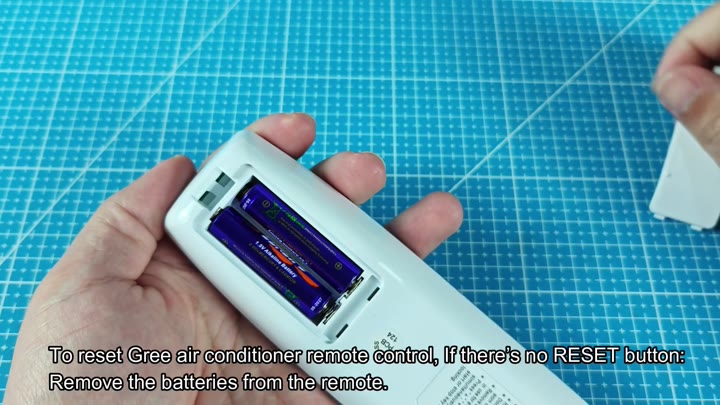
On the backside of the remote is where you find the slide-on cover. It resists opening slightly. Inside are two AA battery.
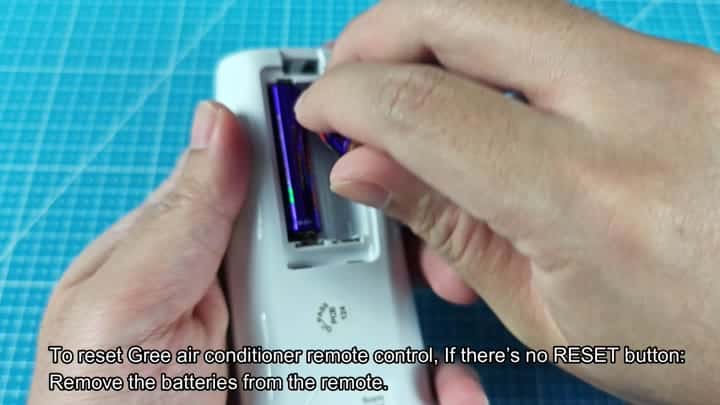
Well, that’s not gonna work. Time to take ’em off.
The key is to remove the batteries. One at a time you pull them up. All of the LEDs turns off and the screen blacks out. This empties whatever charge was in the capacitors.
But you can’t just swap the batteries immediately. Nope. You need to leave it disconnected for a few more seconds. Then set the batteries down on some flat surface and let them sit. Ten seconds would of do it.
The wait is over, and you check the battery slots. They’re all clear of corrosion, nothing leaking out, just good dry clean plastic. Next, everything look good on the contacts. No corrosion or anything abnormal. Everything checks out, remote power is completely off.
You’re ready to insert the batteries again. You make sure they’re facing the right direction. Positive goes in positive, negative goes in negative. People often mix them up so be careful here. Insert the first battery into its slot.
You place the first battery into the slot.
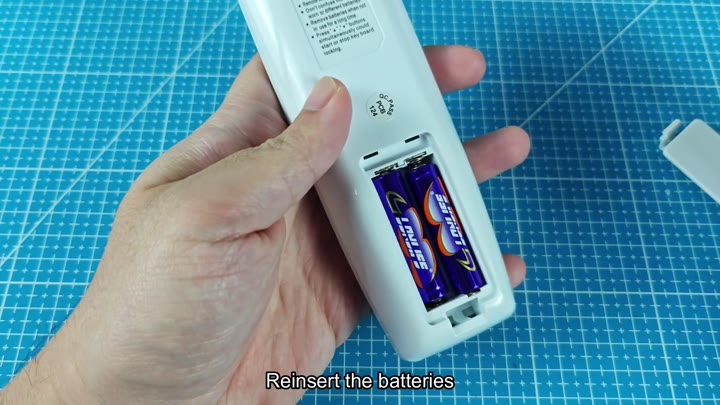
You add the second battery next.
The second battery goes in next. Slides right in. Close the compartment cover. Snaps shut.
For a brief moment, the remote is still. Tap lightly on the screen. There is no response. Then the screen comes to life. Numbers is clear. The device turns on.
Default temp
The numbers appear clearly. It is 25 degrees Celsius. It switches back to 8:00 AM. All of your custom settings have reverted back.
Mode indicator goes back to normal. Fan speed also go back to default. Flickering problem is fixed. Buttons respond immediately when you press them. No more lag, no more stutter. You try every button on the panel.
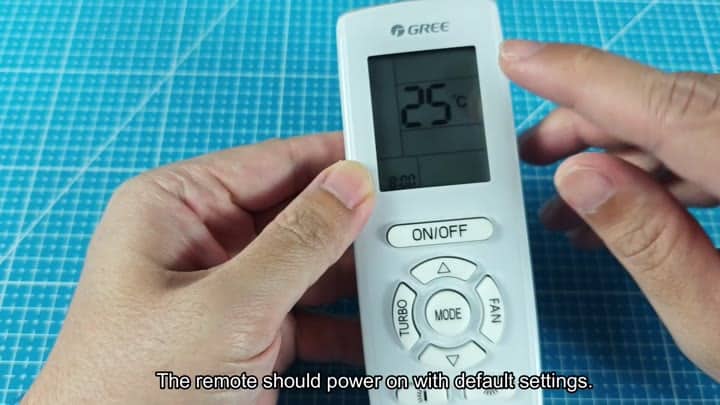
The on-off toggle is the power button.
Fan speed adjustment. Turns the fan on and off smoothly
The mode toggle cycle between cooling, heating, and fan settings.
Turbo engages with no hesitation.
The reset was successful.
You do not need any tools. No technical know-how is necessary. Only patience and a power cycle is needed. The problem is solved. The glitch is gone.
