
Replacing the battery in your Canon camera are easy. You just unplug the dead battery and take it out, right?
But there’s a caveat: There is different types of batteries and chargers for cameras. That means what works for one might not work for another.
Before anything else however you’ll want to inspect your available power. Is stock Canon battery depleted? You could try out a spare third party cell such as this KingSpec battery.
Understanding Charger Compatibility Issues
The KingSpec version is rated for the same capacity and voltage as the stock battery, and appears to be a drop in replacement. So you can probably assume that it will charge up on normal Canon charger.
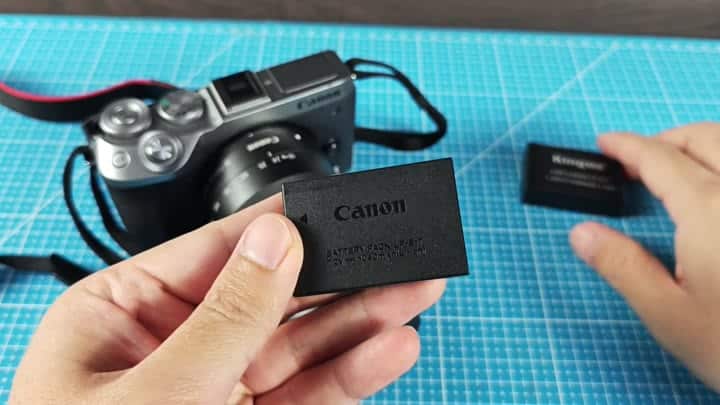
Wrong. The stock unit will not charge the non-original cell.
This has nothing to do with your battery. It’s about charger compatibility. If your unit isn’t authentic, then original Canon charger won’t recognize it and therefore will not work.
When trying to charge the third party battery, you’ll see the indicator light not turning on at all. That’s the manufacturer’s limitation, very strict. So forcing a charge using an incompatible piece of equipment would of simply not work.
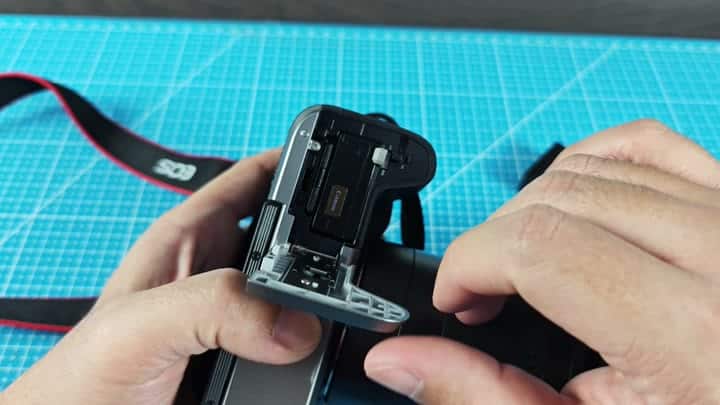
To get the camera powered up, you should use another method. Simply put the third-party battery inside the camera to check if the camera will take it.
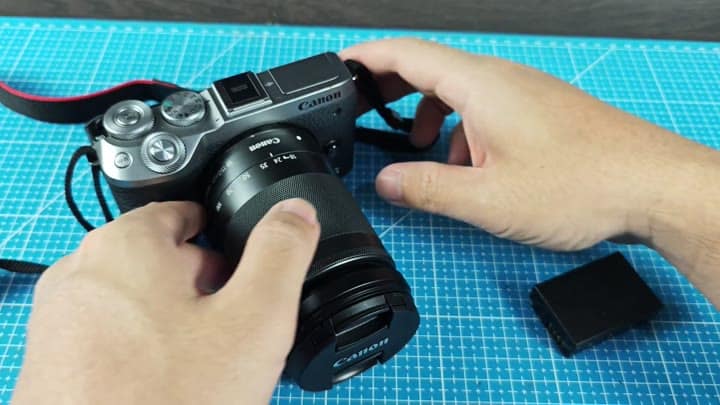
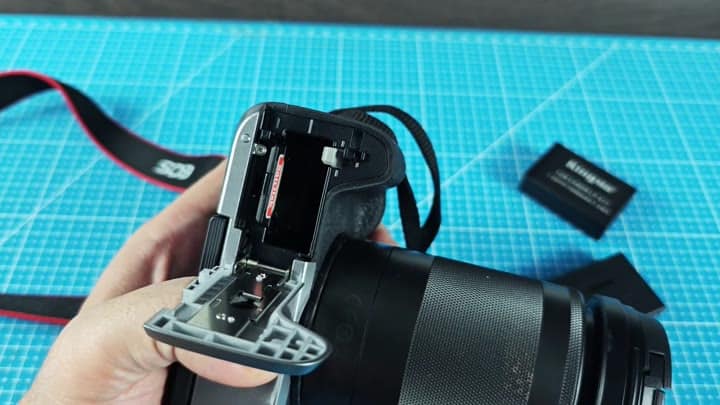
To insert a new cell, you just slide the latch to pop the door open. There’s no need for finagling. The slot itself is clean and empty for your next cell.
Canon makes it clear that they has a particular charging ecosystem, meaning you can’t mix and match chargers willy-nilly. Respect this line and save yourself some time.
Don’t get third-party chargers that are not compatible with your gear. If you’re buying third party batteries, then you need to gets a third party charger as well.
The reason for this is because Canon’s stock battery charger does not charge third party batteries; it’s locked down to only charging authentic batteries. It also doesn’t allow mixed charging with both original and third party power. To get around this, you’ll just have to use the appropriate hardware.
Then you take out the KingSpec battery, and plug it into your third party charger which goes in the wall. You plug it in and the little light comes on. The charger knows the battery instantly and the little light comes on.
This means the battery works and isn’t broken. It is also compatible with this new charger, even though it was incompatible with the stock one.
A lot of folks gives up on good third party batteries thinking their battery is dead, when realy it’s just that the charger is finicky.
Finally, be sure to test all your gear by checking memory card slot too. It’s separate from the battery bay. Inserting a card confirms that the camera are operational.
Now it’s easy to see how things fit together in the workflow. Use genuine batteries with the stock charger and third-party batteries with a compatible third-party charger.
And you don’t mix ’em.
Once you know the catch, its under five minutes. That first time around is annoying, but you just have to get the proper hardware and that’s it.
There are no resets. You do not need new firmware. Just pop in the third-party charger and boom. Your camera is charged. It is a small thing, sure, but it spares you a bunch of headaches. Yes please. Not everything charges with every other charger so don’t make that assumption.
