
Connecting the Levoit Pet Air Purifier to your home network are easy. To make it work, you’ll have to set up the VeSync app for remote control access. If you follow the steps in order, its not complicated at all.
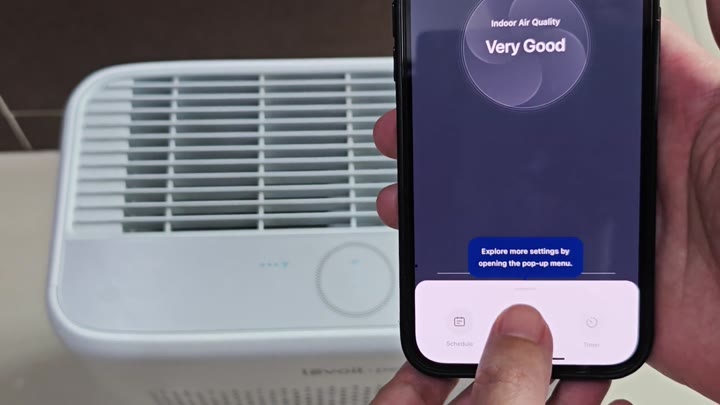
It’s simple to operate; you don’t need to read the manual to get it figured out in a hurry.
Initial Hardware Preparation
So it’s simple and clean looking on your phone. On the main screen you have your indoor air quality rating. Right away, you know what status it is.
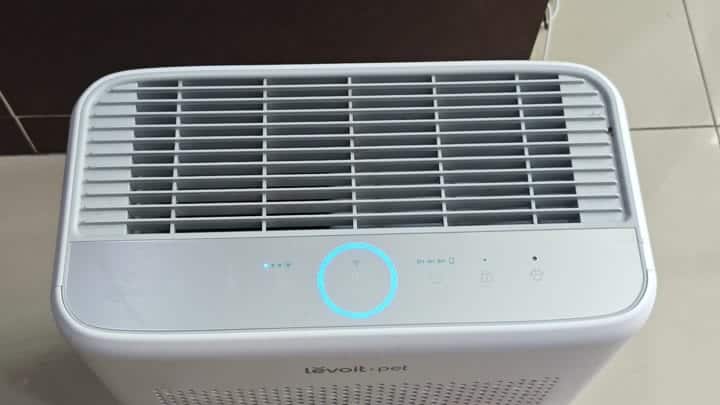
Open up the pop-up menu to learn more about settings. The physical unit sits quietly in the background. It is sleek with that control dial and front grille.
First, you download the VeSync app from app store. It only takes a few minutes to create an account. Sign up. Log in using your email. Easy peasy.
Now you’re logged into your account. You can control whatever devices is registered. From here, you have access to your device dashboard.
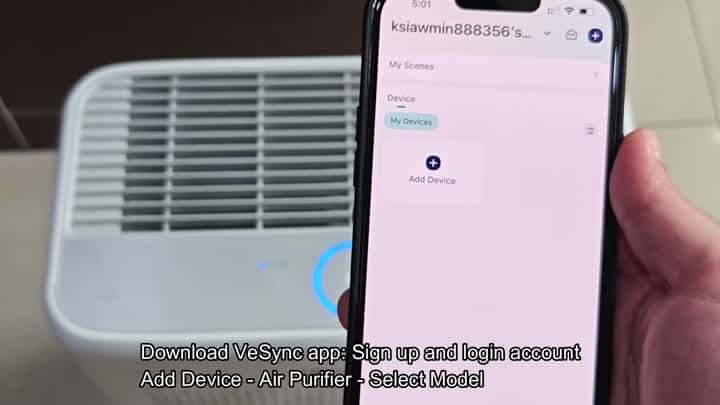
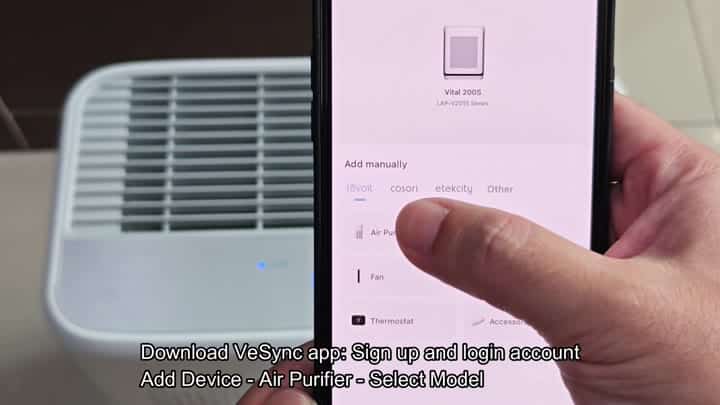
You then hit the add device button on home screen. The button is labeled clearly with a plus symbol. From there, you pick air purifier from the drop-down list of device types.
Next, you pick your specific model from the Levoit pet line. At this point, the app immediately identifies what kind of device you have. That’s so it knows which firmware to load.
Don’t skip this.
The hardware prep comes first. To add the device to the app, you press and hold power button on the purifier. And I mean hard. Hold that sucker down for about five seconds.
The WiFi light starts flashing. That means your purifier is in pairing mode. Otherwise, the app won’t see it.
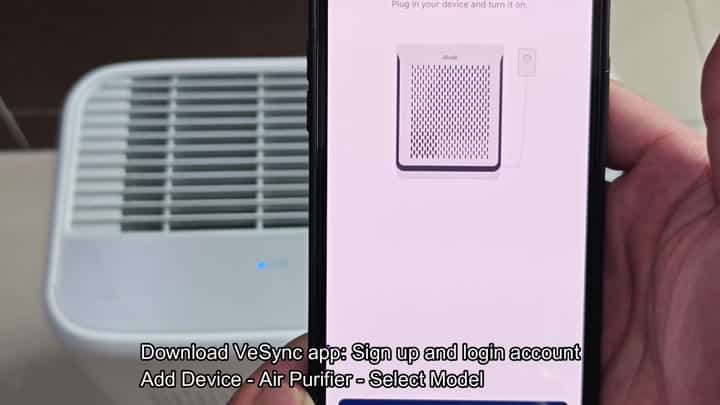
Turn your device on, plug it in. Power up the purifier. Confirm that your device is connected. Follow all of instructions precisely.
Your connection status will update live. Monitor the progress bars as they fills.
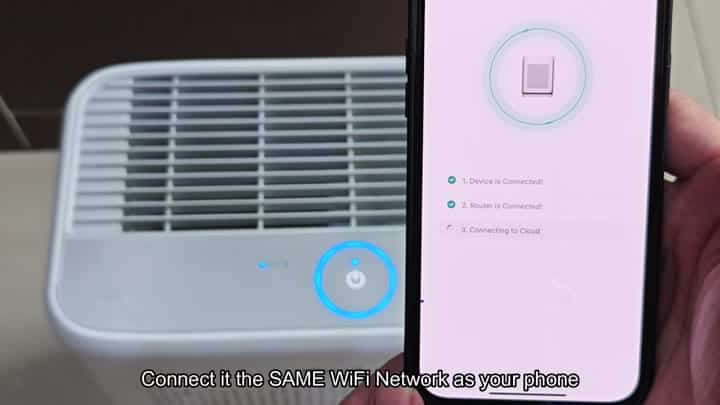
Turn on your air purifier and phone. Make sure both devices are on same wifi. Many people make this mistake.
Connect your router to the cloud. The unit connects to your router. Then it says “Connecting to Cloud” which completes in a few seconds. Done.
The ability to operate the purifier remotely is a feature you will get used to. You can operate it remotely via the VeSync app. No need to be in the room to see your air quality. It is worth it once you set it up.
There are no connectivity issues, no lag. The signal stay strong throughout. You’re confident of that connection.
It doesn’t take much time, either. Within about 10 minutes, you’re done with the entire setup. There’s no troubleshooting for you. Everything works on the first try. In the world of smart home devices, that’s rare. And it’s a pleasant surprise. Your integration seems seamless.
The app design has a nice flow. It’s intuitive. The add device button stands out. You can pick your model easy.
There are good visual cues on the purifier. There’s a flashing WiFi light that tells you something happened, and it were clear.
There’s no guessing.
Now it’s all under remote control. Turn the thing on and off. Tweak settings from your bed.
Yes, the Levoit Pet Air Purifier integrates nicely into your smart home system. It is compatible with your other gear.
You’re right on the money with your set up guide (in the video). Every step is followed exactly. Nothing go wrong. It’s all crystal clear, no guessing or fiddling around, just follow along.
And you suggest that people follow it exactly. Don’t skip or rush through the pairing mode step. The light won’t even come on until you have waited a few seconds to pair.
It’s a seamless experience, from beginning to end. High hopes are set for this thing. It connects as expected. App is consistent and snappy. No desire to tinker with your system here. Works like it says on the tin.
That’s fine by you. The air purifier works quietly. You have peace of mind thanks to the app. You can check the air quality from anywhere. That’s a huge upgrade. No more guessing games.
You always know exactly what’s going on. The VeSync system grows. Soon, you’ll be adding new devices. And it all work.
Managing multiple devices isn’t a hassle. Everything stay organized and uncomplicated. Navigating between things is easy. You always find what you’re looking for fast.
Overall, this is a good experience. You wouldn’t of take it back if given the chance. There’s no reason to avoid setting it up. You love how convenient it is. It matches your lifestyle actualy.
