
The CL code on your LG washer display can make you think that something inside washing machine is seriously wrong, and that it’s broken down. It appears to be a severe error message, and you’ll stand there staring at screen thinking about how your laundry got messed up.
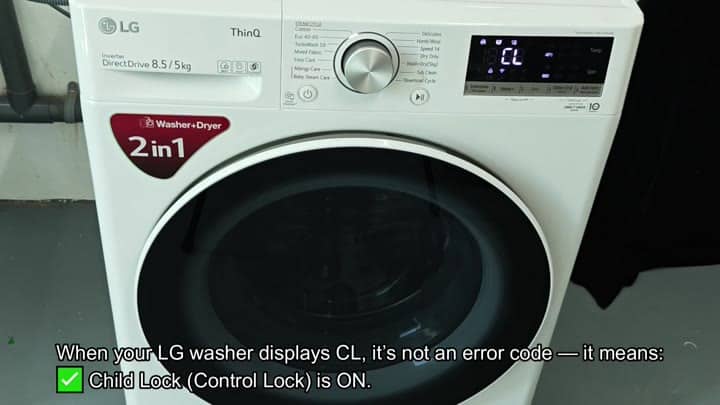
That’s a familiar mistake though. In fact, CL is an acronym for Child Lock. It is otherwise known as Control Lock in certain manuals.
How to Unlock the Control
This isn’t a faulty code. It’s not telling you something is broken or needs replacing. Rather, it’s a helpful safety function intended to make your life easier. When on, the lock ensures the machine will not accidental start up again and change settings without your knowledge. This code simply confirms that control lock is on and shows that on your display.
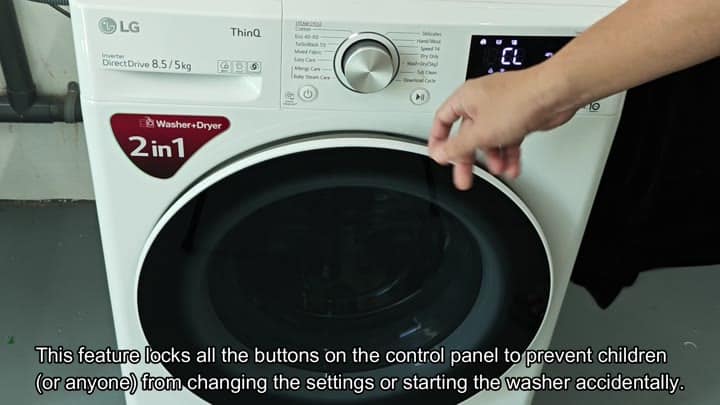
The reason behind the lock makes it clear too. This prevents accidental button mucking about. No one should of be changing your cycles by mistake, and it will prevent anyone else from doing so too.
If you’ve got inquisitive kids this is a big deal. The control panel won’t respond unless you enter right code to unlock it. That is how the whole thing stay locked down just as you want it. No single button pressing will be enough here.
The answer isn’t as difficult than you’d think. Just hold down a couple of certain buttons, one is called the Delay End button. The second is the Add Item button. Hold those two buttons down together and it’ll unlock. There’s no way to accidentally unlock it by pressing either alone, making the double-button trick something that would be hard to do on purpose.
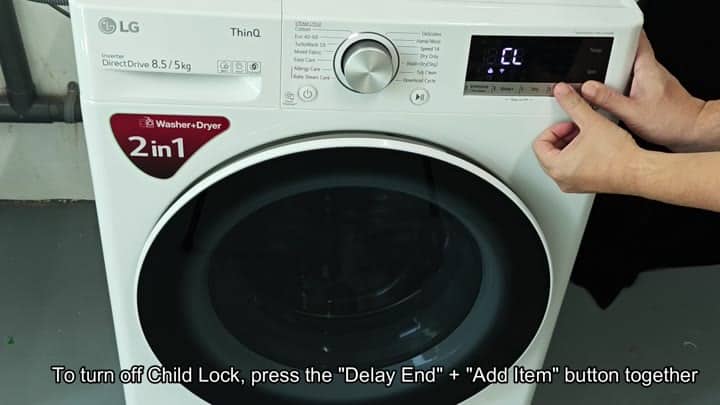
To do this, look for the Add Item button (which should be fairly close to the Delay End button). Press both of these buttons simultaneous.
As soon as you press both buttons at the same time, the digital display recognize your input, and the CL code will vanish from the display almost instantly. This means that the control lock have been deactivated, and all buttons is now fully functional.
Everything goes back to normal with your washer immediately. No more non-responsive behavior and you’re free to choose whatever washing cycle you want. Your washer listen and waits patiently for your next command.
Phew! Glad that wasn’t something breaking down, it’s just a safety thing… But at least you figured out what it is. Now that you’ve got the trick of it, it seems simple enough.
Many people mistake this code for a malfunction, leading folks to call a repairman when no repair is necessary. Knowing the CL will save you money and time, because it is just a lock that needs unlocking, which requires no skill or special tools. Just remember the two-button combination.
The code is just an annoyance, you can’t run the washer unless the door unlocks, but it’s one of those things you have to wait for in order to do the laundry.
It’s the kind of thing that if you don’t pay attention to it, it won’t work. You have to know how to do it. But it’s useful. It doesn’t let some schmuck mess up your settings by accident. Once you figure out what makes it tick, it work.
So if you don’t know what it is, then the CL code is an annoying thing that doesn’t hurt anything. But once you know what it means, it’s something useful. There is no more accidental starting. You have peace of mind with the lock. Your washer run fine now, and you see nice symbols on the display screen again. You know that the washer will do its job.
Disabling it (no pro needed). Simply disable the child lock by following the button combination exactly. It’s instant. The code dissapears and you’re back to running laundry like normal.
