
Here is how to set a timer on a Panasonic air conditioner to save electricity.
Use your Panasonic air conditioner’s remote control. It’s easy enough but programming it correctly take some effort. It’s easy enough but programming it correctly takes some effort. Carefuly setting up the timer will save you energy. After all, running that thing all day isn’t cool.
Setting the Shutdown Timer
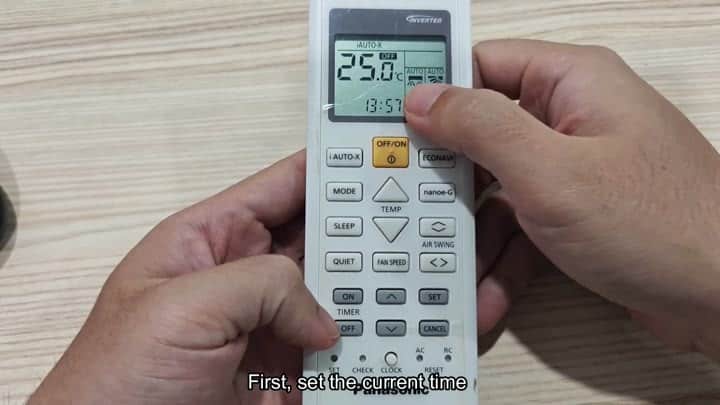
First things first, you need to set clock. The remote displays the current time, and you select the clock icon to begin. From there, it’s just a matter of hitting the clock button again to set the time.
Note: It’s important that you get this right since the base time must be accurate for any of the timer functions to work. It doesn’t take long to adjust numbers so that they are the same as real time.
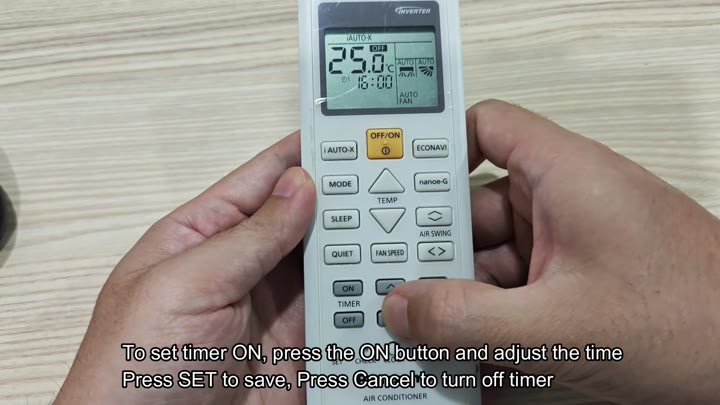
After setting the clock, you can then set starting time.
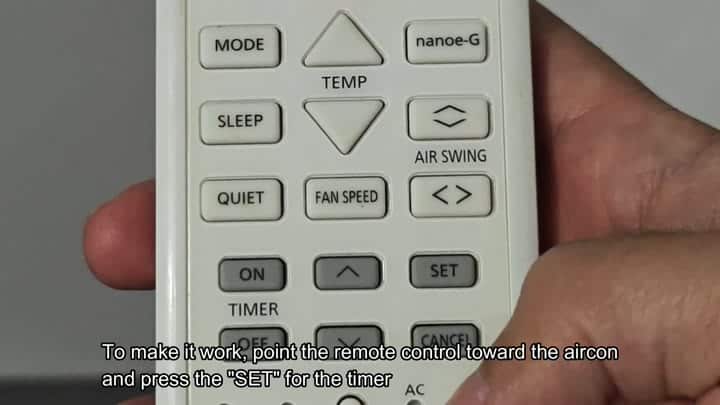
Then with the ON timer function you pick that on the remote and dial in what time do you want thing turned on. The screen displays the time clearly. Double check it’s right, adjust hours and minutes as needed, then press the SET key to save setting. Confirm the time you want it to come on.
Send the signal.
The signal has to go from you to unit. Press the SET button hard on the remote control and point it directly at the air conditioner. Doing this will transmit timer data to the indoor unit.
Aim the remote right at the control panel where the indoor unit is located. That’s how the infrared signal gets recieved by the unit. It connects instantly with no error messages. Check your air conditioner. Did it get command?
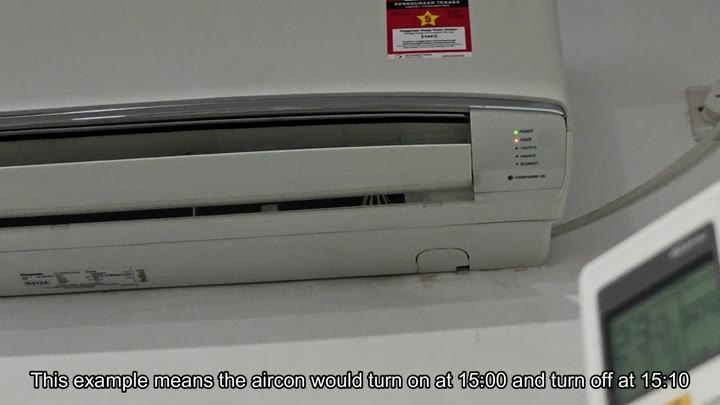
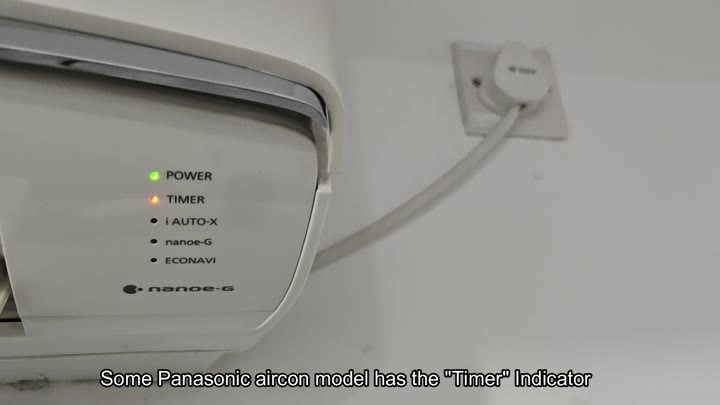
The Timer indicator light can be found on some Panasonic models and will appear on display panel. If it turns orange, as shown here, then you know the unit has accepted the programming data.
The other indicator, the power indicator, was also lit green. When I see the orange light I am confident the system is programmed and ready to go.
To program the shut down time, you simply press the OFF timer button on the remote. Point it back at the AC and then carefuly type in when you want it to shut off. Next, press the SET key to lock in when it will stop running.
However, if you decide to turn it off, there’s no need to reset entire unit. Simply hit CANCEL on the remote control and point it at the air conditioner. The air conditioner will recieve the cancellation signal and clear timer instantly. Having a simple undo feature is nice too.
It only took about five minutes from start to finish. And now you’re running that air conditioner on a strict schedule, turning it on when you want and off when you don’t.
And you didn’t even have to guess about whether or not it’s working. The unit gives good feedback. The remote is easy to use. It responds well. All in all, it is smart way to save some energy.
