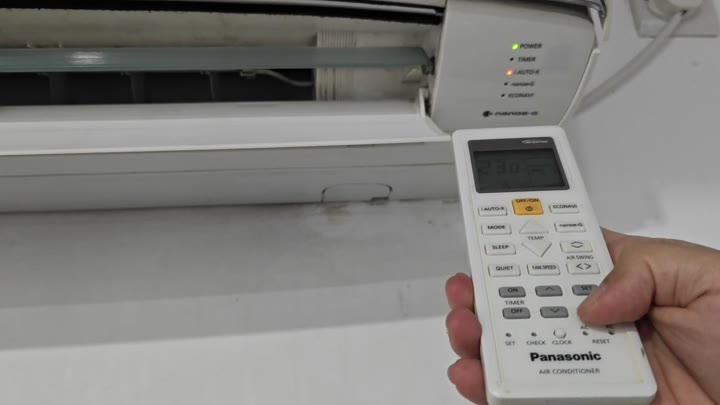
Pressing the Timer button on your Panasonic air conditioner’s remote will toggle or disables its current running timer. A timer light on your wall unit will illuminate in orange, letting you know it’s counting down. To deactivate this and make the air conditioner run non-stop, simply turn that orange light off. There is no confusing menus or resets required, just toggle the timer function off.
Consider the wall mounted unit first. Notice the lights on it. One says Power (green), which means the unit is on. Another light say Timer (orange). This indicates that the timer are set. The third light can be a auto-x light (we will discuss that later).
How to disable the timer
Focus your attention on the remote control. Notice the temperature on the remote display (in this example, 23.0 degrees Celsius). Also notice that it displays the fan speed and indicates that timer settings is in effect. Look for the Timer button on the remote. Typicaly this is right by other common remote buttons like Fan Speed, Temperature, Mode, etc. Once you find the Timer button, press it just once.
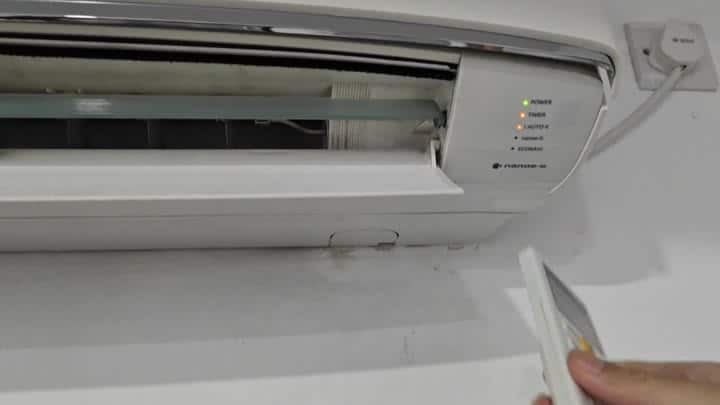
This action toggles the timer function.
This toggles the timer function.
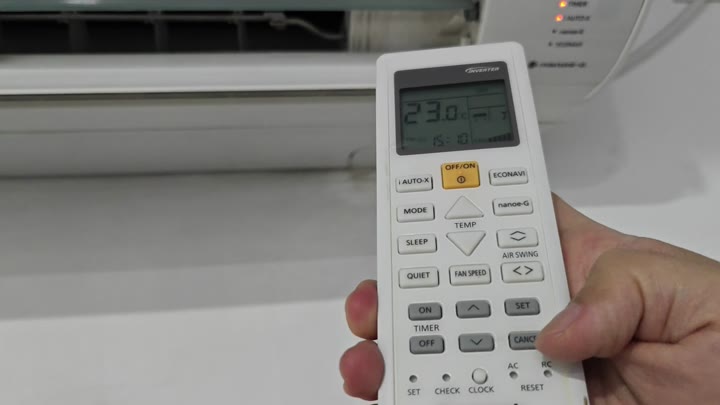
Turn off the schedule.
Now we want to disable the scheduled on or off time. We want our air conditioner to run until we physically turn it off ourselves. Point the remote at receiver window on the wall unit. Hold the remote still and send the infrared signal from the remote.
Press the button. Observe your wall unit. If you cancelled the function, orange timer light will go out. The Power light will be green because the unit is on. If it was on to begin, the Auto-X light will stay on. Nothing else changed. No fan speed setting. No temperature setting. Only the timer status change. When the orange light on the AC goes out, the timer are off.
So how do you stop the timer? It’s simple once you know what button to push. To arm the timer feature, you’ll want to push the Timer button. There is no confirmation prompts or sub-menus. The design of the interface make sense.
When setting the temperature, many fail to notice that the timer is still armed. The solution is to check orange light on the wall unit. If the light goes dark, then the timer is turned off. You don’t need to read the manual or call support; just push the Timer button. You should of checked it before.