
To reset or bypass the timer function, just press some of the buttons located on the front of air conditioner.
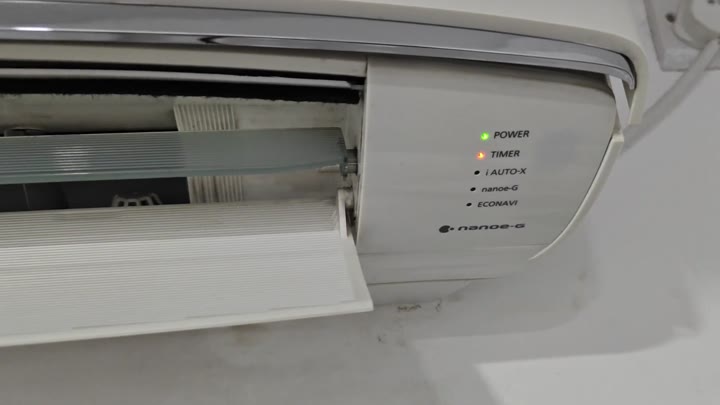
If unit was set on a timer to turn off and you lost the remote control, this does the trick. Simply open the front cover of the unit just a bit and there are the filter along with the control panel. You don’t have to dust out the filters; just canceling the timer will work.
Verifying The Timer Cancellation
Even with the cover part way open you can see the indicator lights. If power is on, you’ll see a green light. If the unit has a timer going it will display an orange light.
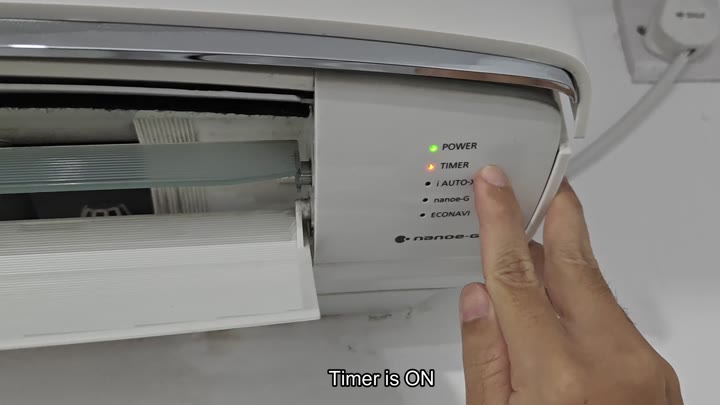
Turn off that orange light. You want.
Find the button on the panel that says Timer. Press the button firmly. You want to turn off the countdown. When you do press the button, the button will give some type of tactile feedback that you pressed it.
Now watch the lights closely and check if they have changed. For instance the timer light (orange) might stay on for a moment. Don’t freak out. Wait.
The unit continues running the entire time. It’s still connected via power. The green power indicator remains steady. The power cord is snugly pushed into place. So we know there isn’t an electrical problem. This is strictly a software issue.
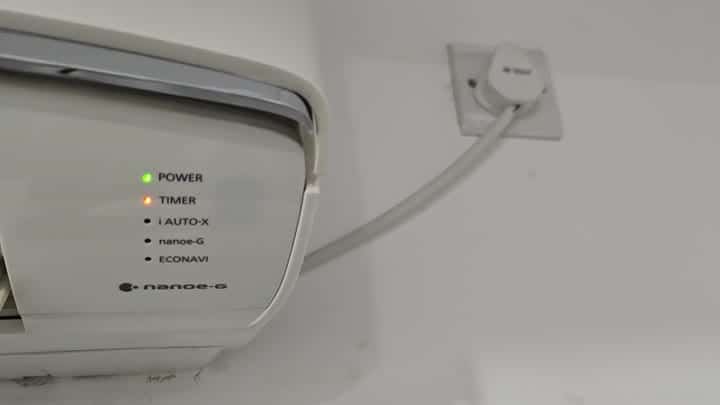
Once set, your timer is locked in until you cancel it manually. There’s no hands-free override.
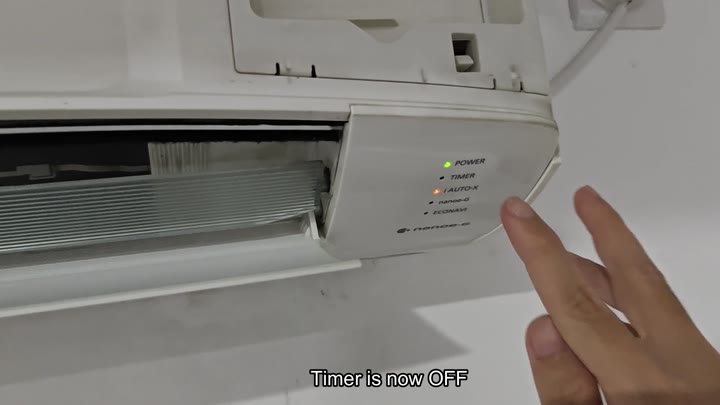
Push the Timer button. Hold it for slightly longer (a couple of seconds). The orange timer light will go out.
You might also see an orange Auto-X light come on at this point. If so, this indicates that the adjustment was successful and your timer has been turned off. Verify this again by looking at display. You should see the green power light lit and potentially an orange Auto-X light. No other icons is lit. Including the timer icon is dark.
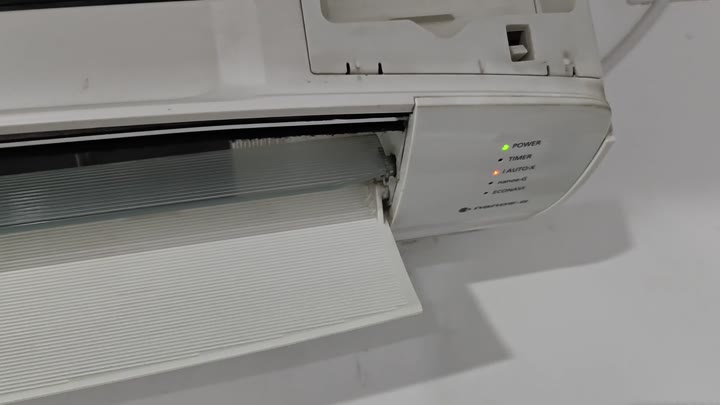
Schedule cancelled: You can actualy look into the air vent and see the blades inside. Unit goes back to normal operating mode.
No need to reset everything in the system. Just push a button on the unit itself. Problem solved. No need to hunt down your missing remote. That saves time. And it also means that built-in controls is sufficient for basic overrides.
It’s fixed. No calling in the tech. No purchasing a replacement remote. Just hit the panel buttons. Your air conditioner are running all the time. No more timer issues.
The physical buttons on the front of the Panasonic work. And they can absorbs settings if you lose the remote. In this case, there is that timer button. Hit it and it turns the feature on/off. It is that simple. There is no confusing menu system. Hit it and the light changes.
The green power light means the unit is powered on.
The orange timer is programmed.
Turning orange off is good.
This proves it to you. The indicators will change. You see the transition and know that this is how it should work. Your model will be similar but perhaps a little different than. But the idea is the same. You can also use the panel buttons to override it. The remote is nice but don’t get too used to using only the remote. You can still take control of it if you lose the remote. It is a handy thing to have.
Also, the other thing was the dust on the filters. Whatever you do with them later, so be it. In the meantime, it cools just fine. No airflow interruption caused by a stupid timer. Room is cool as a cucumber.
Good enough. It is a simple solution for a simple problem. Don’t make it more complicated than necessary. Press the button. Done.
