
If your LG washing machine won’t fill, there are actualy five spots to check. Don’t panic and run for the phone number of a service tech just yet. Washers often fails to fill for a few predictable reasons.
Troubleshooting Steps for Fill Issues
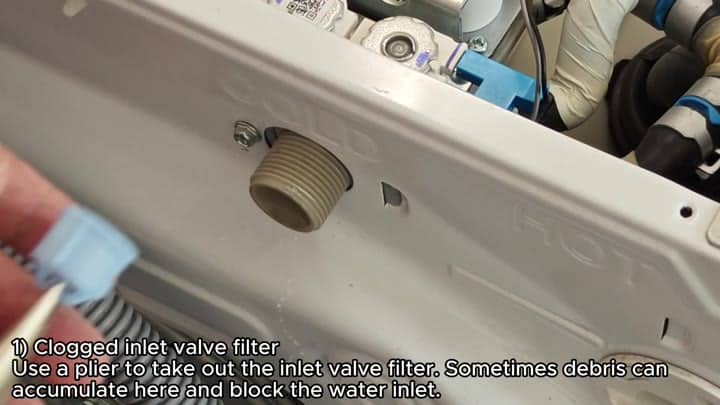
If not, the next step would be the water inlet valve. It’s got a tiny little screen in the valve where water enters. The screen gets clogged with debris and will eventually stop flow of water altogether.
Simply remove the screen using a set of pliers (be careful). When removed, check it for any buildup of debris. Often, just cleaning or replacing this basic filter will do the trick.
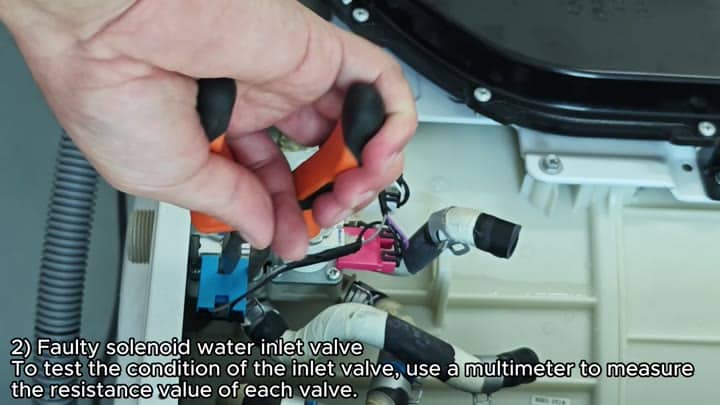
The other possibility if your screen isn’t dirty would be solenoid itself. Solenoids control flow of water through inlet valve.
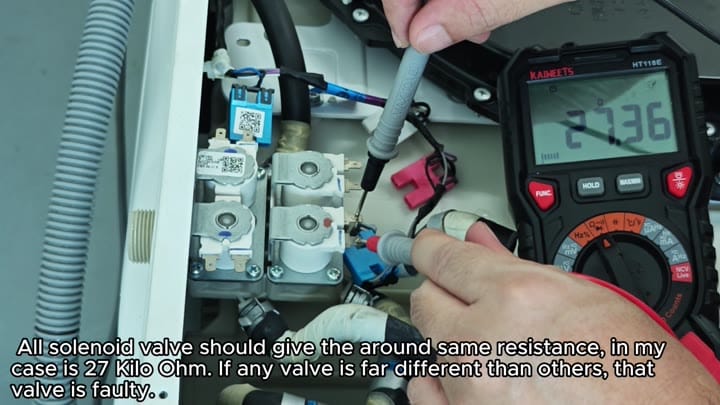
Using a multimeter, test the resistance on the solenoids. All resistances should read close to the same. Look for about 27 ohms. One valve will have a significantly different reading if this is the case. That means it’s a bad solenoid and its failed internally.
It’s sometimes not a mechanical issue, but a sensory one.
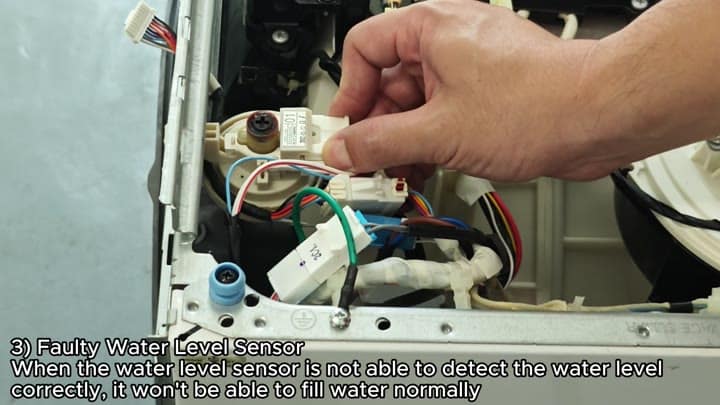
Sometimes the problem is not mechanical but sensory, such as an issue with water-level sensor.
Also, there’s a sensor that tells the machine how much water is in it. Without knowing how full or empty it is, the machine won’t even start the fill process.
Make sure your water level sensor are connected properly to check if this could be an issue. The sensor can fails and send wrong information to main board. It’ll mess with the brain and prevent it from taking on water.
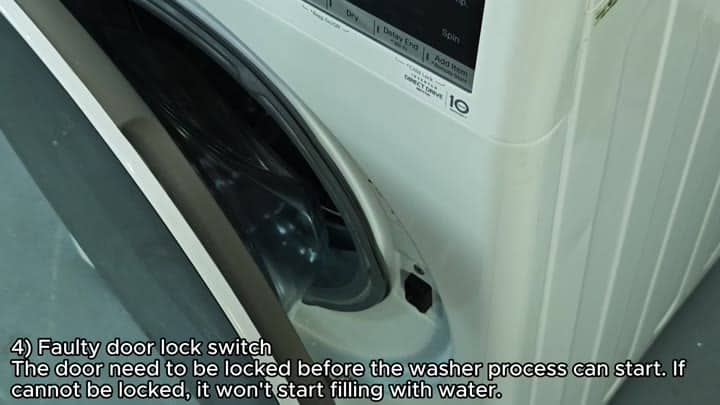
The door-lock switch is another important part of this picture. Before it start the cycle, it has to makes sure the door locks in place firmly. It’s a safety device meant to keep water from leaking out.
If the lock switch doesn’t engage, the washer won’t fill. Check and see if your door latches shut easily. If the switch fails to detect that the door is locked then the process stops right there.
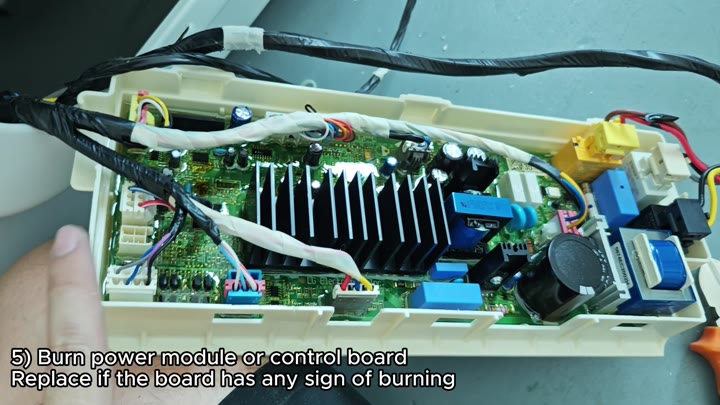
Last but not least, check out the electronics. Electrical problems can be serious and caused by a burned control board or power module.
Check the circuit board for any type of burn scorching. Any dark marks or burnt components mean there’s been an electrical problem. And unfortunatley you don’t fix a fried circuit board. Just replace it if there is any indication of burn on the board.
With these five checks, you can address most fill problems. The simplest is the inlet screen. Second would be a solenoid resistance check. Next would be sensor and door lock check. And finally, the control board check.
That’s the logical order, that will save time and money. It should of saved you some trouble.
