
Some users has had difficulty getting a controller to pair with their console. If there’s a hardware glitch, then pairing the wireless controller won’t work very well at all. It’s a simple process but a logical next step, you should of try a factory reset.
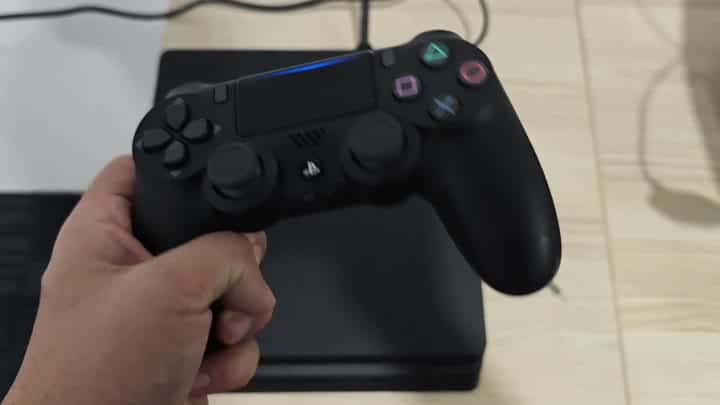
And all you have to do is grab a standard USB cable.
Plug one end of the standard USB cable in to your PS4 console. Then you plug it into the controller port, which tell the system that there’s something plugged in to that slot. That’s the physical part of this, the reset process. Without it, pressing the button won’t do anything. Firmly connect it.
Locate the Reset Button
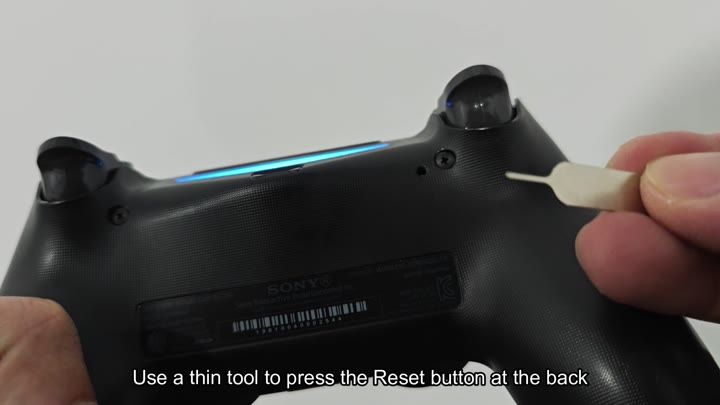
Turning the controller over reveals a very small hole on its back side. It is located near the L2 trigger area. And in there, you have to press a thin object. A skinny little piece of plastic would work great here. There’s barely enough room to fit something like this. A thin tool fits right into small space.
Just give the button inside a quick tap and that’s all it takes. You’re holding it too long. Just a quick tap is all it takes. Pressing that button erases all the internal memory. That wipes out the last pairing data so your stubborn connection problems is solved. The hardware itself isn’t broken. It’s just the software. It just needs a good poke.
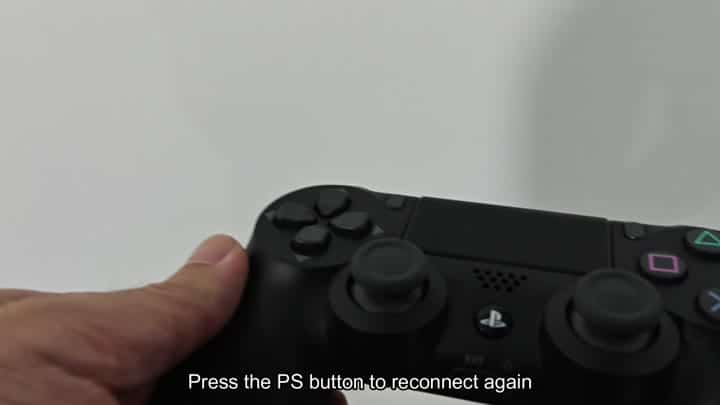
After the reset’s finished, you’ll reconnect it. To start the pairing process, just press the PS button. The light bar will start flashing, that’s your cue that the controller is looking for a match. Instantly, the PS4 pick up on the signal. It connects in no time flat and you’re ready to go.
You are trying to do this wirelessly, and so forget about the cable step? Nope! That doesn’t work: You need that USB link, and a prior attempt might have failed because the cable wasn’t plugged in. The console must be involved too, because it write the new ID.
Finding the reset hole is not that easy but it’s pretty small. It’s very easy to miss because you have to look carefully based off the back of it. Use your phone flashlight and you will see the hole.
Then after seeing the hole, it’s all easy. But using a paperclip is not a good idea. I use a special tool for this purpose. It protects the plastic case from scratches.
I press down on the PS button once more. Blue light continue to be lit up. Success! No delay whatsoever. Everything works like a charm. No more annoying wireless issues. The physical reset fixed it.
Suggest it if your controller is getting hung up. Clears out cache. Resets the radio. Simple and gets the job done.
