
To access the reset option, however, you’ll need to have your monitor attached to a source device. If it’s not, the reset option won’t be visible.
That was annoying. I didn’t see it initialy. I figured my monitor was hosed. Not so. I just had to attach a source.
Navigating The Menu System
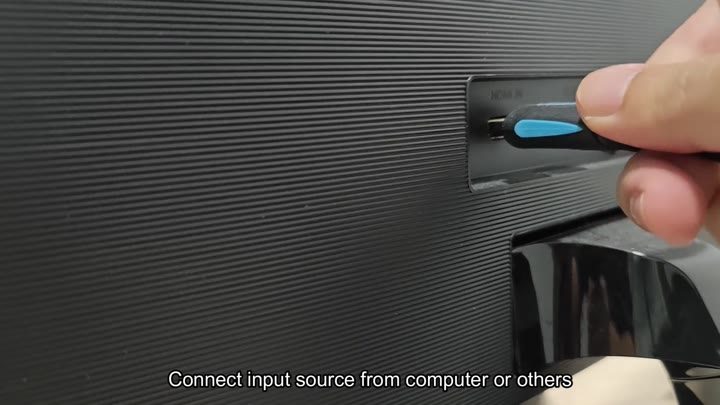
Plug an HDMI cable into the back of the monitor. It clicked in nicely. Plug the other end into your computer. It is solid.
Make sure it’s a solid connection. Otherwise, the monitor will not wake up propery. The system need that active signal. If it doesn’t have it, it thinks nothing is happening. This means the menu stays locked, there is no point in doing anything else.
I didn’t get it at first. Hit some buttons for nothing. Figured it out eventualy.
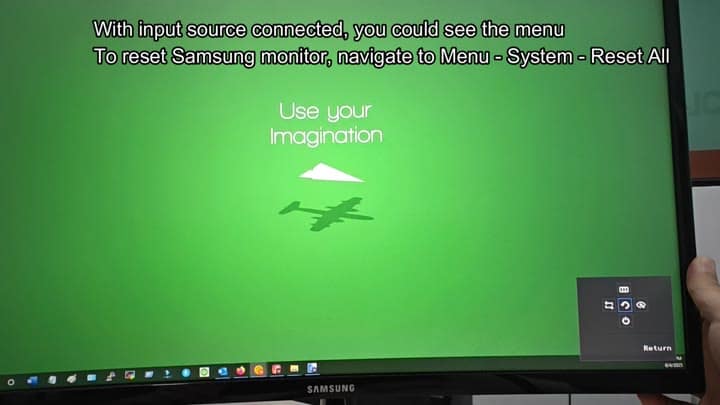
Plug it in and go.
Plug the cable into your monitor, then hit the menu button. There’s the on-screen display popping up right away. Look through it for system settings. Yep, there they are. That’s where you find the reset.
Go ahead and work your way around the choices. It is a pretty standard menu. First, it says Picture settings. Huh? You don’t care about that stuff, just go past it.
Go past the picture tweaks. Who cares about brightness (55) or contrast (75)? You want to start over so keep going.
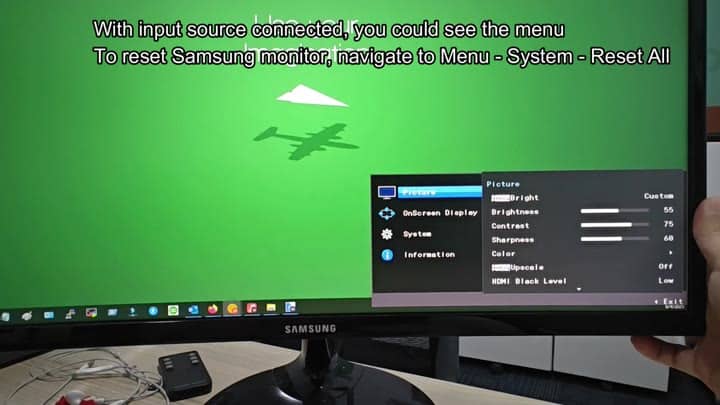
These are defaults. Defaults is good
And then you scroll down. You scroll way, way down to System tab. And there it is. Reset All. It is right there under System.
You highlight it. The option is clear. There are no confusing labels. There are no hidden sub-menus. The option is just Reset All.
You select it. Then it asks for confirmation. A confirmation box comes up. Are you sure? It says all menu setting will go back to default. That’s what you want.
You look at the Yes and No buttons. You hover your finger over controls. You do not want to mess up anything else.
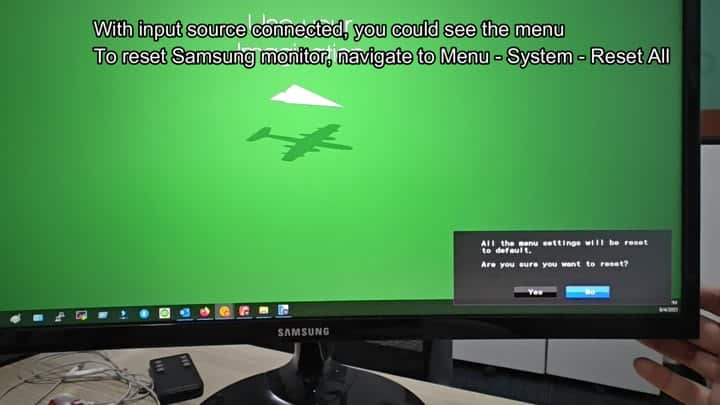
Just keep it on the factory settings.
You press Yes. For a moment, the screen flickers. And then it’s all gone. It resets. It is back to zero. That works.
There was no error. No crash. Just a clean slate. A quick glance at the menu and sure enough: All the weird setting you tweaked are gone. The color balance is back to default. The brightness is back to normal. It felt good.
Sometimes you over-tweak things. You make the image too warm or too sharp. Then you forget what changed, resetting fixes that. It saves time. You don’t have to dig through each sub-menu. You just hit reset. It is done.
If you think your colors are off, do this. If you can’t get it bright enough, do this. It is a quick fix. No software needed. No tech needed. You only need the menu and the cable. It is very simple.
Why didn’t I know about this sooner? I messed with my setting for hours. Turns out all I had to do was reset it. Big help. Now my monitor look great. Works like it’s supposed to. No more guesswork. Press the buttons. Boom. Done.
