
The Gree air conditioner remote also allow you to switch between Celsius and Fahrenheit as your temperature unit. To do this, simultaneousy push the MODE button and the DOWN arrow button. That will toggle the display metric. The cool-down power won’t be affected. When it changes, you’ll see the new symbol on the screen once you press both buttons together.
How to switch units
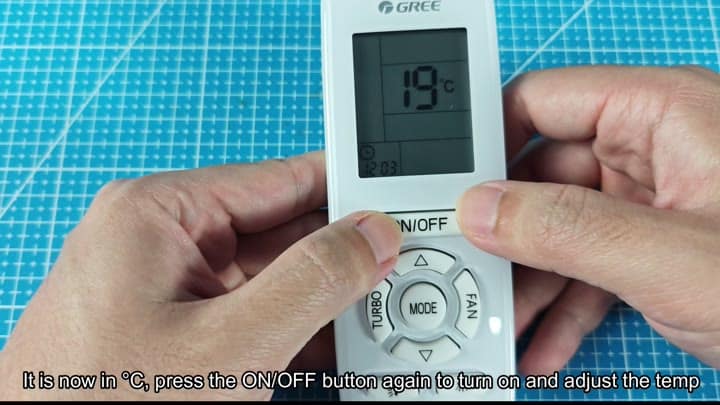
To go back to Celsius, you have to turn it off first. To turn the unit off, push the ON/OFF button. The unit turn off. The screen blanks out briefly.
With the unit off, you do the same sequence of buttons as before: MODE + DOWN. Now with the unit off, you do MODE + DOWN again. The screen change to show Celsius. Then you push ON/OFF and the air conditioner come back on.
It’s under a minute. No tools required. Just use the remote control. Press both buttons at the same time. If you don’t, it might not work. It has to be timed correctly for the system to recognize that command. The temperature will change to reflect the new unit.
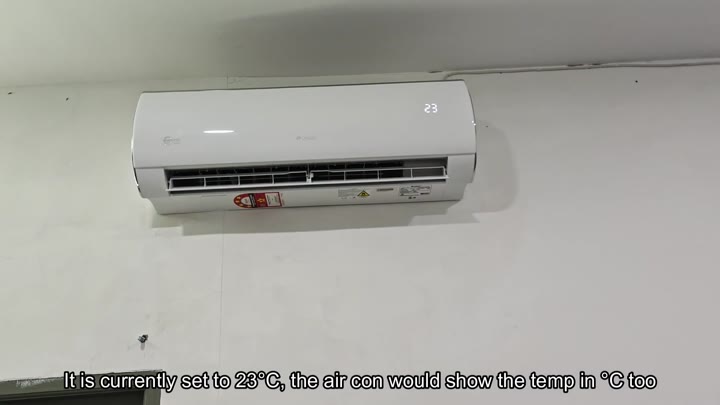
Then you see the new number pop up right there on the screen.
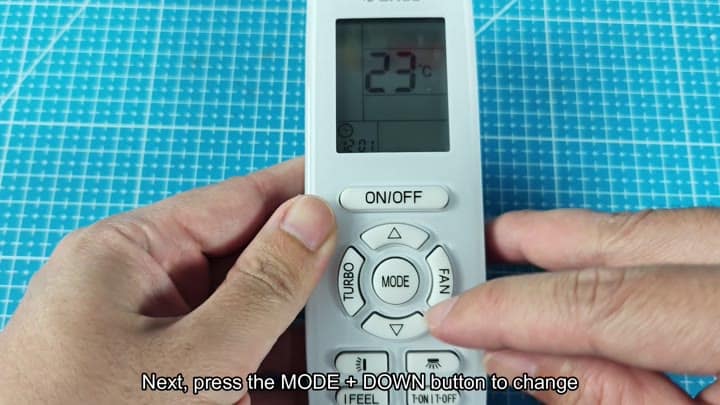
The symbol next to the number confirms the change.
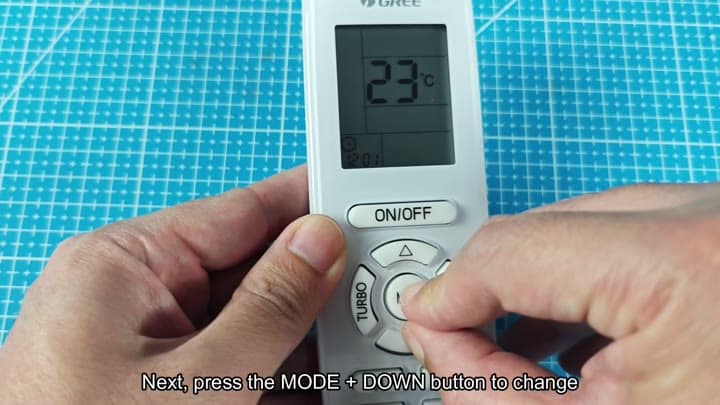
You can see that there’s a little symbol beside the number confirming this.
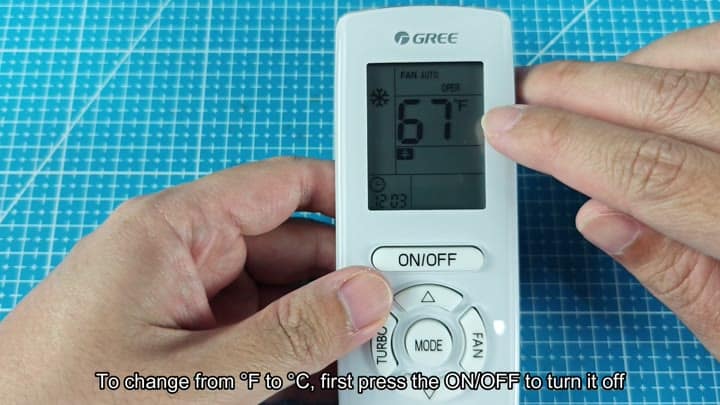
The temperature setting change to match the new unit.
You can dial in your temperature.
This will all go down in history.
The cooling performance stay the same.
And it doesn’t lose any cooling.
The display change does not affect the compressor.
It’s a nice feature if you have visitors or travel often. No, don’t reset your unit back to factory default settings. It doesn’t take that drastic than an adjustment.
Once you get used to the remote interface, it’s fairly straightforward. Each button perform its expected task with the exception of one: Pressing two buttons at once.
To switch back to Celsius, turn the unit off first and then do that button combination again. Either unit will show on screen. Your call. It works well and you won’t forget it. So no more fussiness over which temperature unit to use.
