
The software is where it all begins with the Philips Hue system. That is the first step in getting everything to talk to each other, and the first thing you do is get Hue Essentials app on your phone. Without the app, the hardware are just a box with lights. So you rip it open and wonder what comes next.
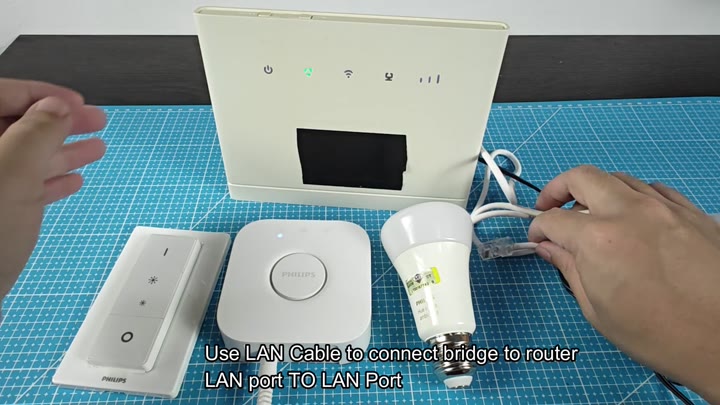
Now you’re going to set it up physically. Plug in one end of that Ethernet cord into the Philips Hue Bridge and then plug the other end into your router. This will give the bridge access to the internet.
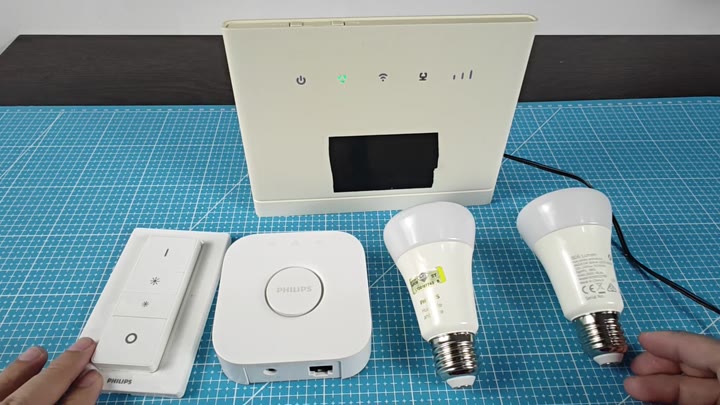
Physical Setup Steps
That’s where the wireless network comes in for your phone, but not the bridge. It require a wire.
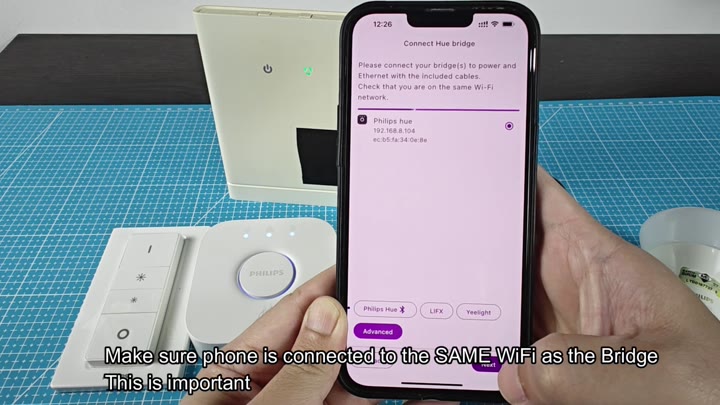
Next you check to make sure both devices is on the same network. This is important because the two devices has to be on the exact same subnet in order to find one another. Why? Because the bridge never goes wireless; it remains wired… though I know people think “wifi = all.”
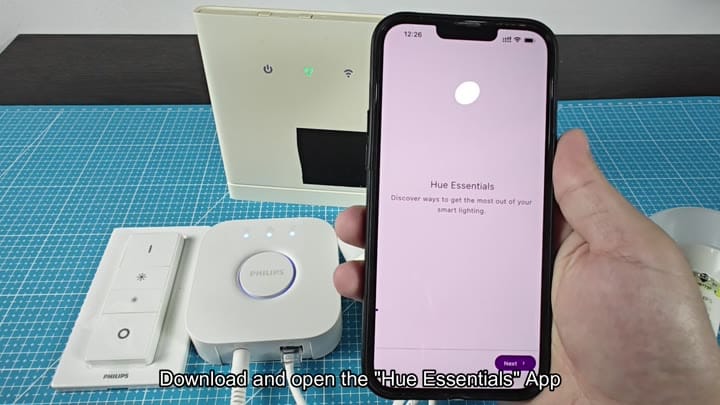
The rest of the process is pretty straight-forward. After connecting the hardware, you has to wait until the app can finds the bridge. It will scan your local network for the device and then display its MAC address and IP address on-screen. If this matches with what’s listed in your router settings, that means the bridge are reachable and online.
From there, it’s simply a matter of pressing the button on the bridge itself. As directed by the app. Look for the central push-link button located on the white box and give it a good click to create the secure link. It shouldn’t take more than a few seconds before the app recognize the signal.
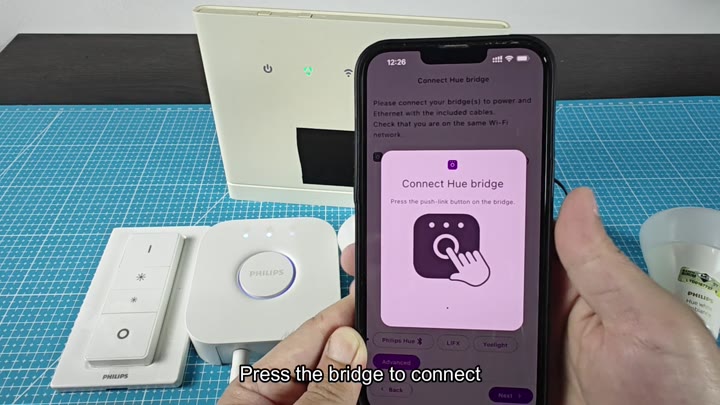
The screen updates instantly, and a message pops up confirming that the bridge connect sucessfully.
Then it’s on, and the screen changes immediately. It tells you the bridge connected, success! Now you can control your lights and dive into the Hue Essentials features.
The system is even quicker than expected, with no complicated menu systems or driver installs. It is simply an app, a cable and a button. One final glance around the set-up. The light on the bridge is steady. Everything look good. This first hurdle has opened the door to the smart home ecosystem, letting you add bulb and finally use the remote.
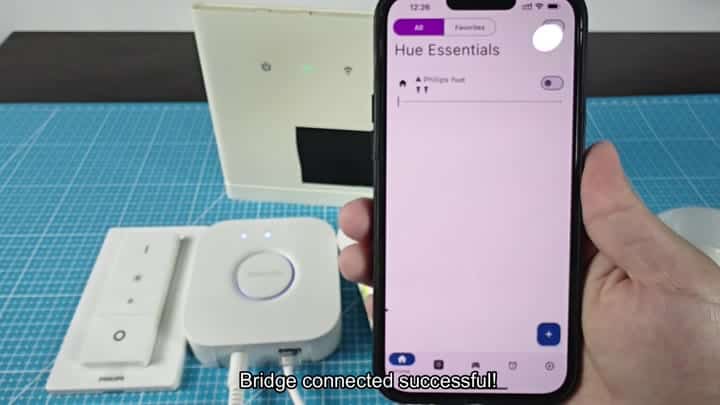
No modem reboot, no fiddling with your router settings. In fact, this was the simplest step of all: there is a direct link between the bridge and the router, and the app interface shows the toggle switch and the plus icon so you are ready to go. You should of seen it working fast.
You’re good to go adding additional lights. Now we’re cooking.
