
The screen’s black. You plug in the charger cable, then try the basics. Nothing: it look totally dead.
Before you open up the thing, though, you’ll want to eliminate the most harmless possibilities first. Software failures can often look like hardware issues, and a restart are the least damaging fix.
Checking Hardware Components
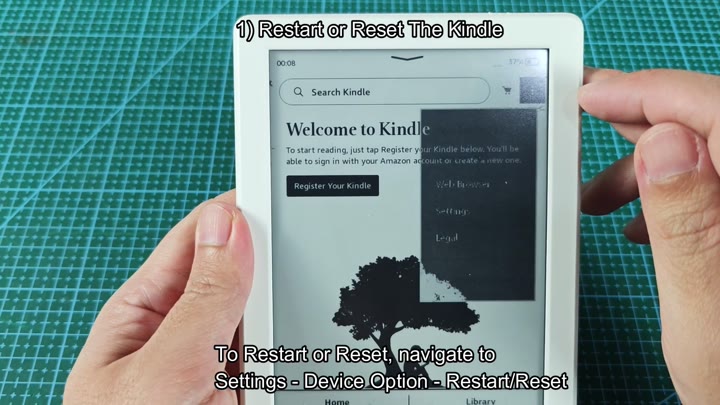
So you go to the settings menu, then pick device options. It gives you an easy option to reboot your device… And one for a complete reset. You pick the former, then tap confirm.
And your screen turns black. Then it displays the logo, with that silhouette of someone reading beneath a tree.
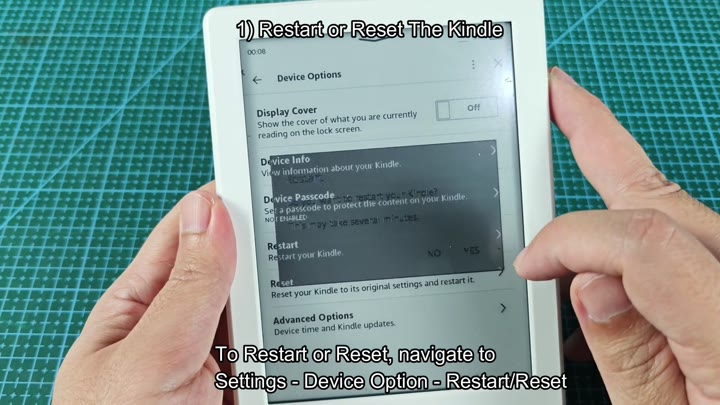
Restarting Kindle, The Kindle restarts. This can help if you’re experiencing slow performance or a frozen user interface. It will clear temporary cache.
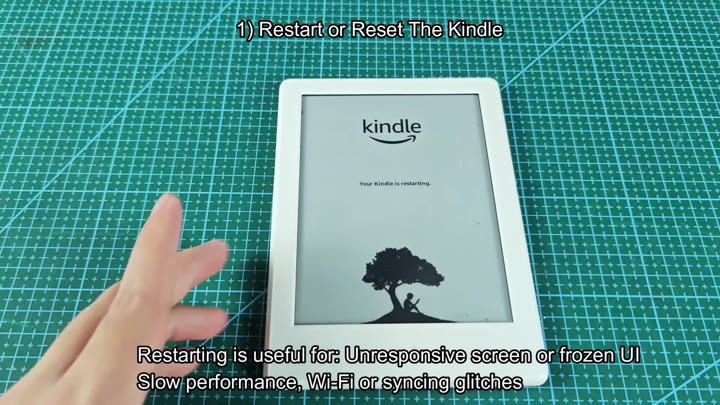
During this process, Wi-Fi syncing problems also tend to clear up.
After the reboot, you’re back on the set-up screen and need to sign up your device yet again. Unfortunatly, the charging problem remains unsolved, and it continue shutting down upon plugging in.
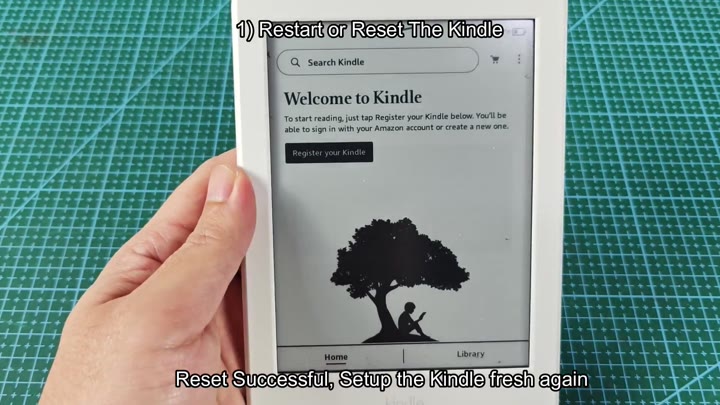
You decide that restarting isn’t sufficient. It is time to perform a complete software reset, but not just yet.
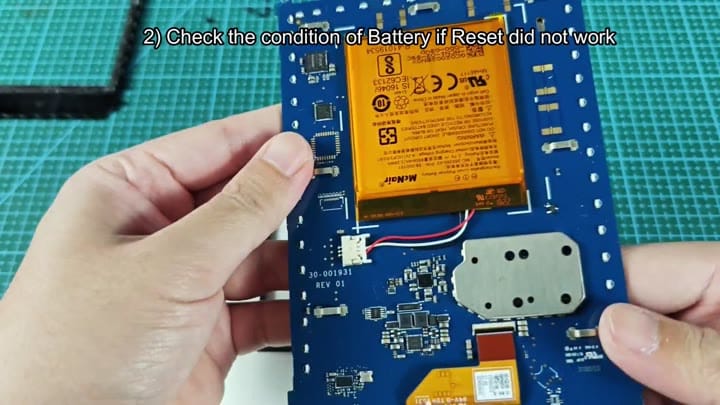
Software glitches often mimic hardware failure. Grab a slim tool, pop open the back cover, and there’s the guts inside. There was no signs of cracks because you were careful.
There it is: An orange lithium-ion cell, attached to the main board. A quick glance tells you it’s not leaking, swollen, or anything obviously wrong at first look. But voltage drop may occur without any sign. Time to get real.
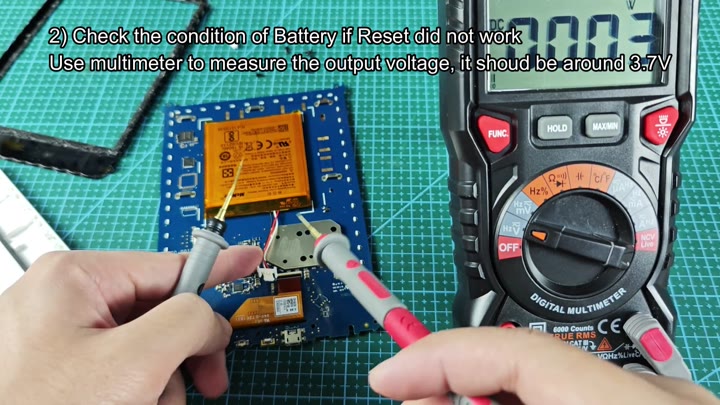
Okay, so you grab your trusty digital multimeter and switch it over to DC voltage mode. Connecting the probes to the battery terminals show that the display reads 3.70 volts precisely.
Between 3.7V and 4.2V is the sweet spot for a good cell. So yeah, it’s right there on target. It isn’t below that line of “needs replacing” so most likely the battery isn’t at fault.
Something else has to be wrong with the circuit. Perhaps it is the charging port. Maybe some of the internal wiring were broken?
You now have some peace of mind that the battery is OK and don’t have to run out and purchase another one just yet. That will save you time and money and allow you to move onto other parts next.
Patience is a virtue when diagnosing electronics and rushing will cause mistakes. Next you examine the charging port and look for loose connections. The fault is found step by step.
