
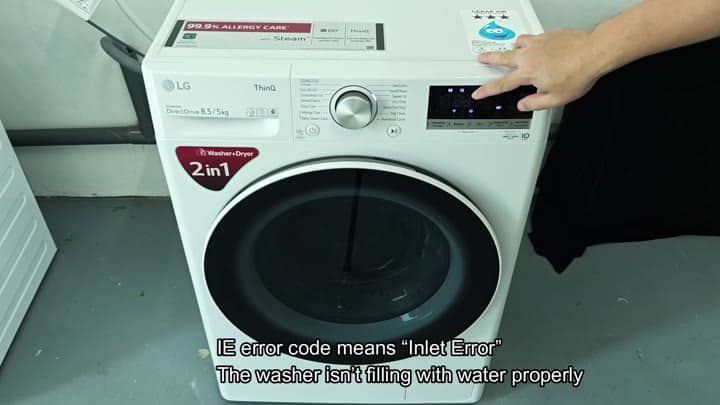
If your LG washer shows the “IE” code on its screen, it means the appliance isn’t filling in time. This inlet error alert you to a problem that is stopping the system from sensing when the washer has reached full capacity, or that there is a blockage preventing water from entering at all.
It will flash over and over again until it gets attention, so you can use the buttons on the control panel to confirm the code. If you know there was water coming into the washer but none is now, investigate the matter. The most likely cause is that not enough water are getting through. If you know there was water coming into the washer but none is now, investigate the matter. The most likely culprit: not enough water getting through.
Check the inlet valve and filter
If all of that checks out, maybe the tap is only partly opened up? Maybe it’s kinked somewhere along the line?
But even with those things checked off, the flow rate could still be poor, in which case you’d want to start looking at the physical connections and assume that the issue lies further downstream (i.e., the water pressure is low). That would mean checking your filter and inlet hose for buildup, both of which is prime locations for debris to settle.
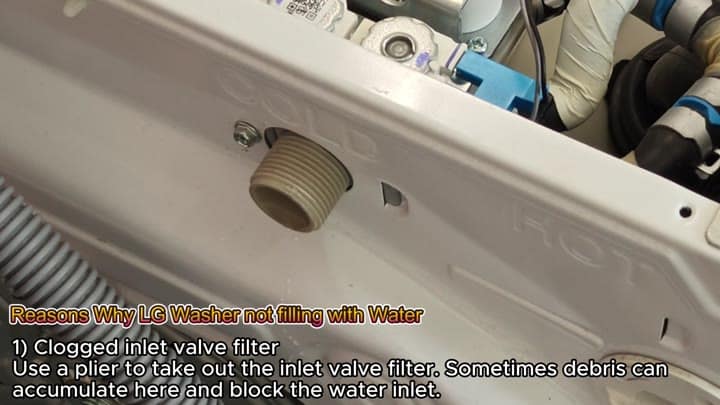
Using pliers, you can carefully remove the inlet valve filter, which sits where the water enters the machine.
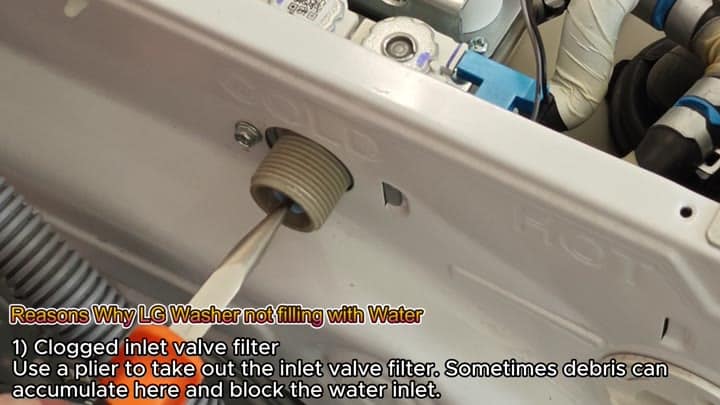
The next thing I’ll do is take a pair of pliers and gently unhook the inlet valve filter (the little piece that catches sediment and other stuff in your plumbing and lets only clean water into the machine). Sometimes if they haven’t been cleaned out regularly, these filter will get clogged up with junk, blocking the water inlet but not necessarily showing any outward signs.
Pulling the filter out and removing whatever is obstructing it usually will help the water flow right away. It’s a simple fix to try before doing anything else.
After checking your filter, the next thing you’ll want to check is whether or not your inlet valve is the culprit. This valve regulate the flow of water into the drum by using solenoids which has to work properly.
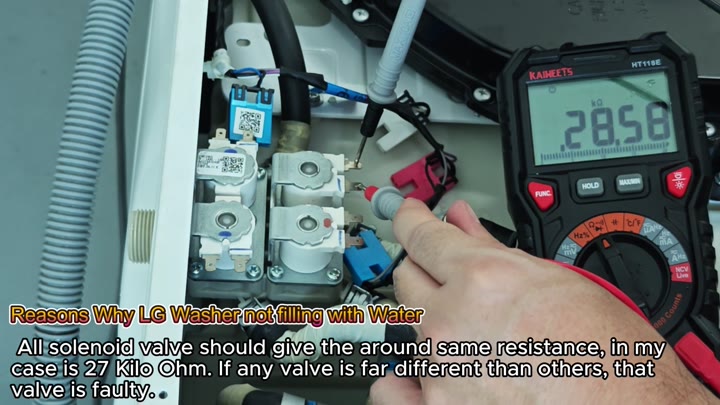
You can use a multimeter to check the resistance of the solenoid valves. However, this will involve removing the back panel so you can access the wires inside. Once you do that, place one probe on each terminal and read it. Doing this will help rule out any issues with the electrical parts.
You’ll see some kind of resistance number on the screen and each of the solenoid valves should have roughly 27 kilo-ohms of resistance. If it’s way off base from this figure, you know you’ve got a bad valve and it won’t open correctly so the tank can fill.
Even though your filter might be clean, this could still be an electrical issue rather than something mechanical. If the resistance isn’t correct, replace the valve as it’s obviousely failing.
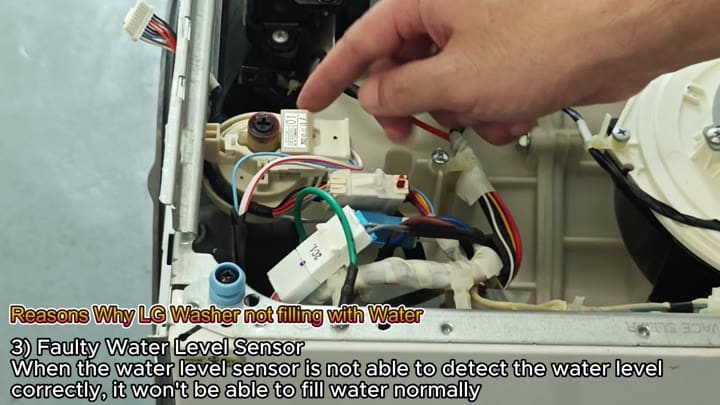
A second possibility is the water level sensor that senses the amount of water present in the drum. This sensor is small but critical to the fill cycle. If it can’t sense the proper level, the machine believe there’s no water in the drum or that it’s full when it’s not.
To find the sensor, you’ll need to follow the wiring system inside your machine. The washer uses this sensor to stop the water from filling too early. If it doesn’t work properly, the washer won’t fill with water like normaly.
Last, perhaps the cause can be the main control board. This manages all signals from the sensors and valves. A bad control board might also not send the proper commands to open the valve.
While this is a more involved fix different than a filter clean, if everything else passes inspection and the board fails, then it may be time for a replacement. Again though, make sure to double check before purchasing the part.
Inlet errors are typically never a single problem. Typically they are a series of problems (a chain). So it requires some systematic troubleshooting.
