
Is your Renpho massage gun refusing to turn on? Pressing the button doesn’t work. No lights, no sound; it’s just sitting there and you’re starting to suspect the battery died or the motor broke. That sucks. It feels like a waste of money when a device do nothing.
But more than likely, something much easier to fix are going on here. Here are six potential reasons why your Renpho won’t turn on.
How to fix your Renpho
The above remedies covers the six most likely problems.
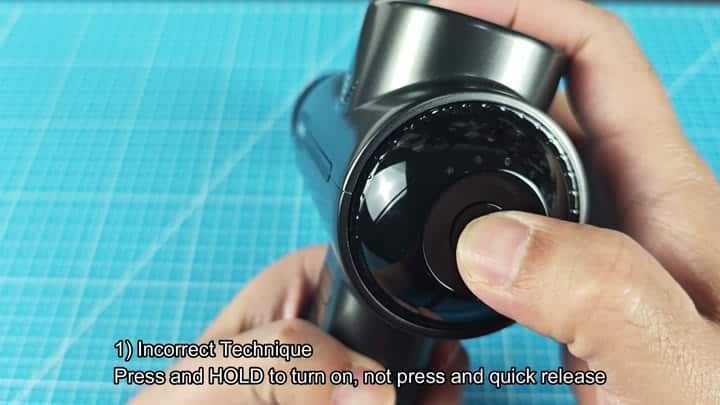
But what’s wrong? Most of the time, it’s you. Quick taps on the power button will not get this thing going. The mechanism need a deliberate hold.
Press and hold the button for several seconds. Don’t expect it to be some kind of toggle switch where a quick jab does the trick. When held down, it connect the circuit in proper fashion. If you realize you’re the one who did it, this one is easy to fix.
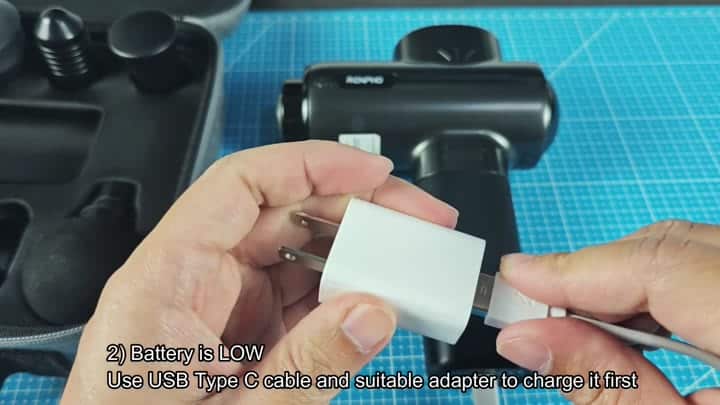
Long press still doesn’t work? Then the battery probable ran out. It’s possible that you didn’t use the massage gun for a long time and the cells is now empty.
Plug it into a compatible adapter and USB Type-C cable. In most cases, waiting for a charge cycle often solve the problem immediately. Since the voltage isn’t high enough yet to trigger the display, the battery indicator won’t turn on. Simply charge it and it’ll start working again soon.
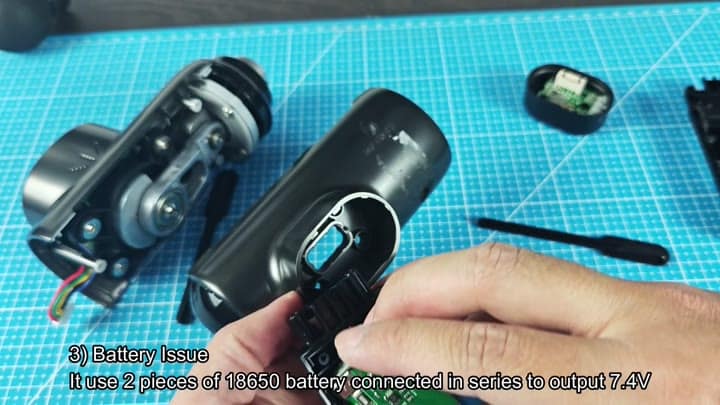
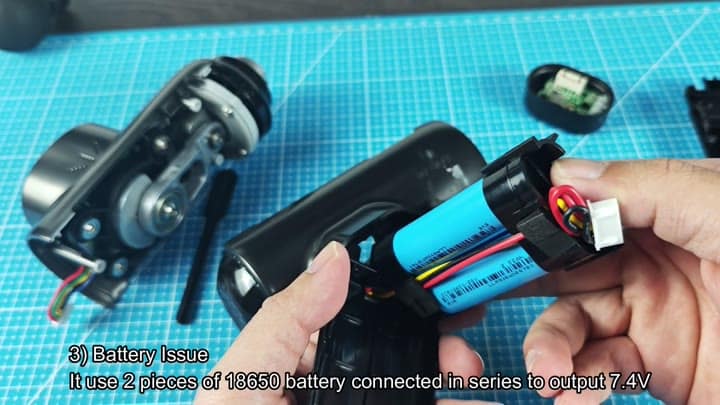
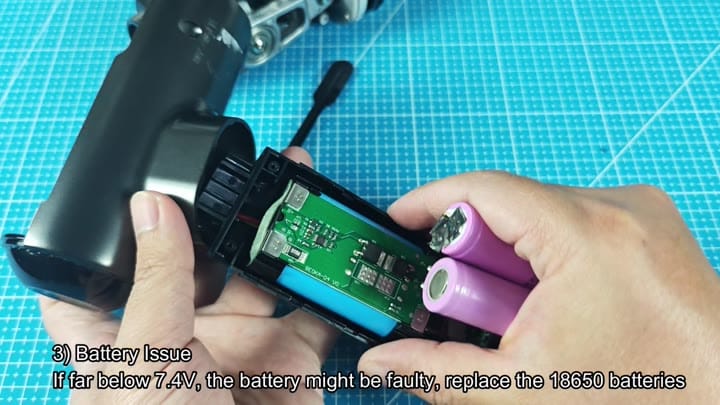
Sometimes, however, even when your charger doesn’t revive it, the issue isn’t charging at all but rather that the batteries is faulty. They usually come with two 18650 batteries wired in series which then put out approximately 7.4 volts. When one battery go bad, the entire package goes bad.
Take the back cover off and have a look inside. Check the voltage between the battery terminals with a multimeter. Anything significantly less than 7.4 volts probably means they’re busted or at least degraded. A new 18650 pack gets ‘er going again. Not hard but takes minimal hand tool.
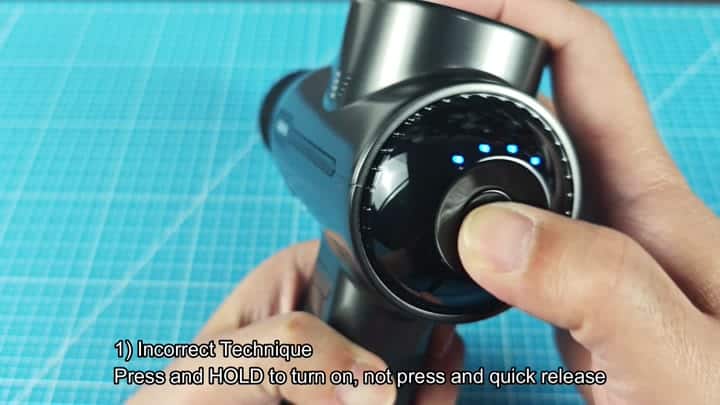
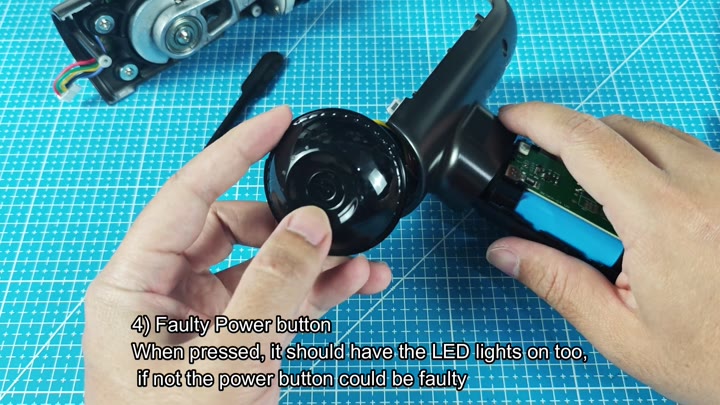
Second option? A bad power button. Maybe it’s not being pressed properly but maybe it’s simply not working right because the switch itself is dead. The LEDs should turns on when pressed.
So you press and hold and there’s no light? The switch contacts inside the device probably aren’t working. Try to see if anything happens when you push it. If nothing lights up then the button assembly is the weak link. It is a simple part that just wears out from lots of use.
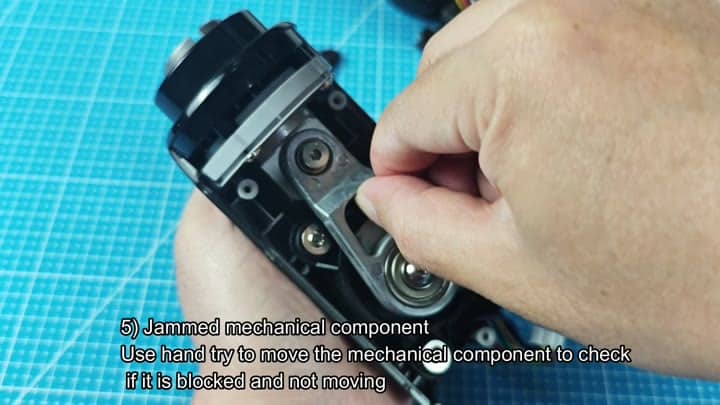
The device may not start if it gets jammed mechanically as well.
Another issue is that occasionally something gets lodged in the inside and won’t allow it to spin.
This could make the device realize there’s something wrong and prevent it from powering on in response.
It also gives you a chance to attempt to manually move the internal mechanical component yourself.
That’s the culprit if you feel like it’s blocked or does not move freely.
Once the obstruction is removed, the motor will engage.
But it could be the electronics, like a burned-out control board. It’s just something physicaly blocking it up.
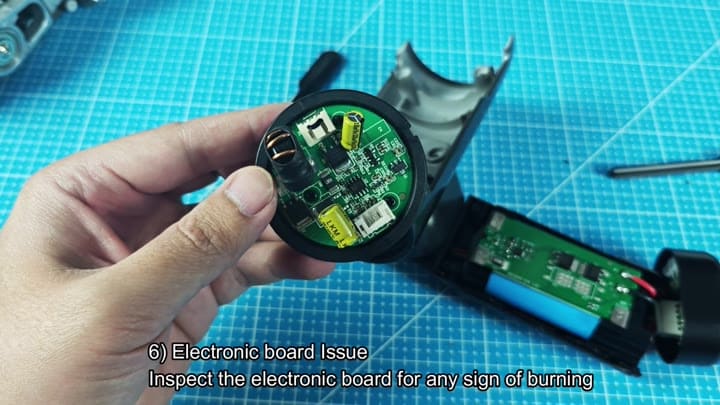
Last but not least, there’s always a chance that your control board may of been burned out. Now we’re talking worst case scenario here.
Check the electronic board for any visible burn marks or damage. If it’s melted or some of the component are charred then the board is toast. Unfortunately, you’ll need to replace or repair the whole board.
In most cases, it indicates that there was some sort of severe internal short or power surge on the unit. The chances of easy troubleshooting at this stage are slim.
