
The Ecovacs Deebot comes with a dust container that can be emptied in one of two different ways… Whichever works best for you. Either manually take out the bin, or have the robot dump it out automatically.
Both methods work, but they require different steps. The other works, but requires a bit of extra effort.
Using the Auto-Empty Station
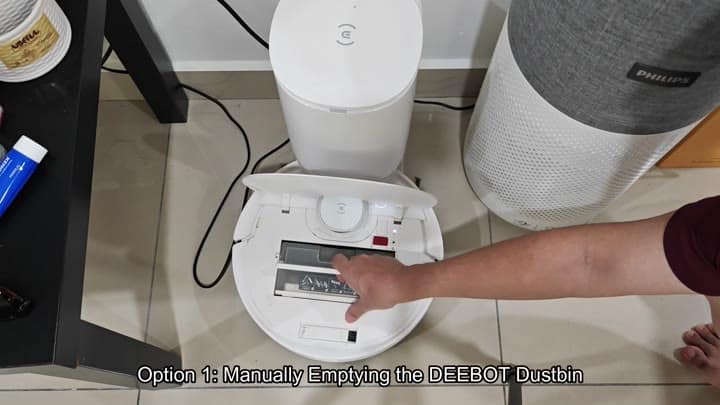
To begin manual process, you remove the bin from the top of the white robot. It doesn’t require any tools. While it’s sitting on its charging station, the top cover remains open and all you have to do is lift the bin out.
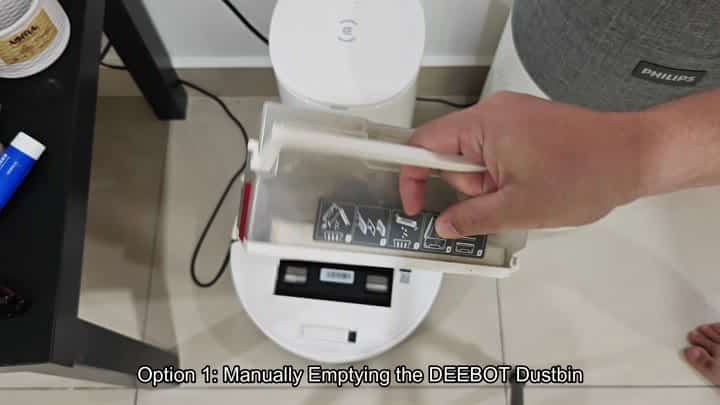
The bin also has pictures inside that will instruct you what to do once it’s in your hands. If you’ve never done this before, these pictures walk you through separating things so they go where they’re supposed to.
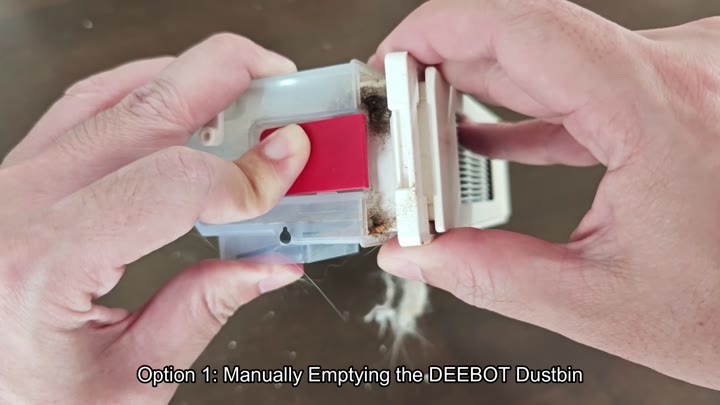
Pull the clear, dustbin portion of the robot away from the white filter housing. The two is easily separated with the red button located in the bin.
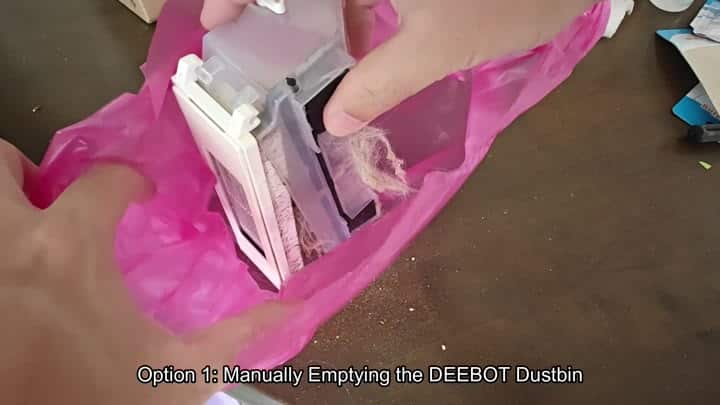
That action shows you all of the gunk that collected in there, so you can see what to throw away. Then you just dump the dirt and hair in a trash bag. Because it was separated, nothing splattered everywhere.
The other choice is the Auto-Empty Station. Once the Deebot completes its clean up sweep, it’ll return home. If your station is attached, the thing will automatically empty the bin for you.
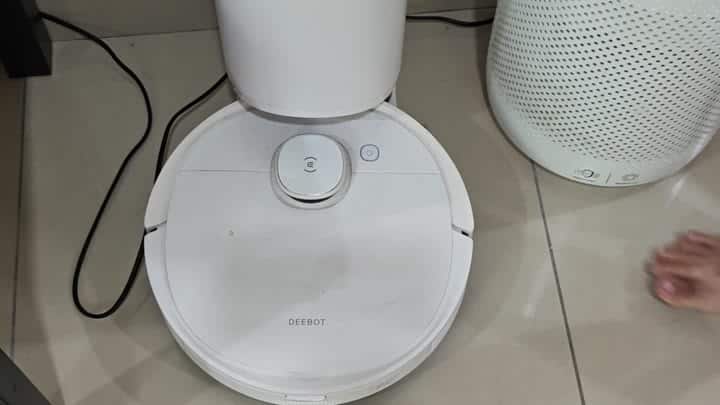
There’s no interaction required with the robot at all here. It just docks itself on the tiled surface of your floor, lights up its center power button, and sits there waiting for cycle to complete.
The cleaning starts when you place the robot back in its charging station. The smaller bin gets emptied into a larger dust bag inside the station. A few moments later, you might notice a blank screen when you look at the app on your phone. That is normal. It lets you see the status.
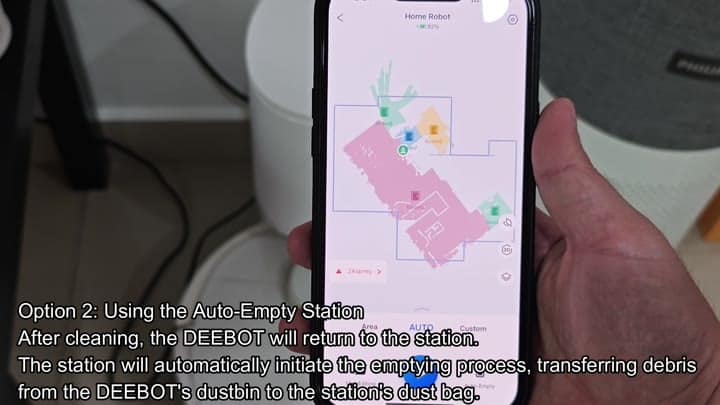
Next it displays a map, which you’ve named “Home Robot” with its battery level at 92 percent. You might have two alarms pop up to verify that the robot’s awake.
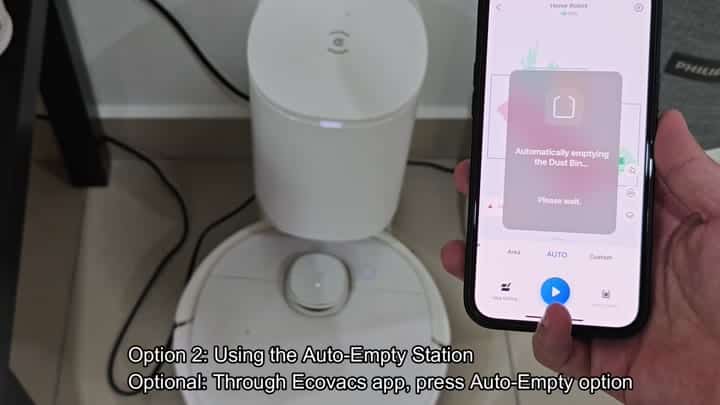
You can also trigger an automatic emptying process through the app as well. Just launch the Ecovacs Home application and tap on the “Auto Empty” button. A pop-up message pops up: “Automatically emptying the Dust Bin… Please wait.”
The robot then goes back to the station and the cylindrical dustbin gets filled up. Time saver? You don’t need to get up.
While I still find a lot of manual cleaning useful, the auto-empty station do help save you even more time on a day-to-day basis. Plus it does all the dirty work (keeping your house cleaner overall).
And you have complete control through the app. Check for alarms, battery level and even initiate an emptying cycle if necessary. These features works together to manage the robot.
What’s important here is how it separates the bin and the filter so there is no clogging. This makes manual cleaning easy and lets you see what to do in just a few seconds.
The robot hooks up to this station and vacuums away the dust. The nice part about this system is the debris goes into a bag that will last quite a while. Most of the maintenance are done by the station and you don’t have to deal with the filter much.
The experience is simple, you hit a button in the app and it begins working its magic. The robot docks at the station first to begin the emptying process. For convenience, it even begins the emptying process on its own. Makes sense. It works smoothly.
And I like that the manual steps are clearly laid out. The whole process is great with both methods, though I typically prefer automatic.
It seals shut nice and tight with a click of the red button on the bin. And there’s no escaping any dust thanks to the secure design.
The map is accurate and the app interface is clean. You can see what’s going on in real time (helpful for knowing about the battery). If you’re using an auto-empty station, which I recommend, it will save you a lot of time.
This means no more shaking dust off the bin. That’s more convenient. It’s also more effective and cleaner. Because it’s always right there on your phone, you use the app even more.
You don’t need to worry about the robot. It’ll take care of the rest. And when the bin fills up quickly, you can fall back on the manual option.
The robot doesn’t spill over, either. I can actualy look into the dust bag inside the station to know when it’s getting full. Rinse the filter out once a week and let it dry on its own. It is quick and done.
Maintenance involves cleaning the filter, emptying the bin, and changing the station bag, which are all part of the entire system. It talks with the app, it talks with the robot, it all works well.
It’s able to navigate the floor well, avoiding obstacles. When done, it goes back on the dock and dumps out its contents. There was no noticeable dust smell. The bag holds all of it, which is a good sign for a smooth process.
The seal is also good (phew). The app updates in real-time, so you can see the cleaning progress and stop it if needed.
The system is simple (which you like). No hidden menus, no complex settings. It’s just about clean floors. Auto steps are for daily life; manual steps are for emergencies. You do both. And it works for you. Recommend checking the app regularly in case anything needs adjusting to keep it all going.
The app is your friend. It helps you catch things early. It also tells you what is working.
The station is loud, while the robot is quiet. Fast is worth the noise of the station. Monthly, you empty the station bag, which is easy. Throw away the old bag. Replace it with a new one. Auto cleaning is effortless. Manual cleaning is tedious.
Effortless is always your choice. The old method of shaking out dust into the trash can? Nope. Clean’s the new thing, and it’s an improvement.
Status, map and battery level are all in one spot… On the app. Dock the robot, and you believe it will go home. Line-up perfectly. Power up.
The red button is obvious. Dustbin separation is intuitive. The pictorial guide is clear. It is user friendly. You’ve tried both. You know what you like.
Auto-empty station changes everything. Manual is the fallback. Always there. What if the station doesn’t work? You could of had a plan. Don’t overthink. Robot does its thing. Station empties. Live your life. Simple.
