There’s a secret setting on your Electrolux washer that turns off its annoying end of cycle buzzer. In a quiet house, many people considers the loud alert to be obnoxious.
It doesn’t appear as a visible toggle switch anywhere on the control panel. You’d think it would involve some sort of reset sequence or be buried somewhere in a digital menu. But change is actualy pretty easy and doesn’t require a service call. Activate the washing machine by turning it on; it doesn’t matter which program you use, such as Daily 39 or another cycle. Just turn dial. It will come alive and show current spin speed and time remaining.

Why? When the machine is powered off, you can’t change most custom settings on control panel. To input yours into computer, you have to get the machine awake and listening.
How to disable the buzzer
Simultaneously press and hold both the Spin and Temp buttons. Your finger should of stay pressed down on the buttons for several seconds, until the screen displays different. Don’t let go of either button before then.
This will bring you into some hidden features that provides access to secondary functions. It is like a secret shortcut for those who know how to use them but do not want to clutter up user interface with them day in and day out. After a moment or two, you’ll see b0F flash across your screen. That series of letters and numbers can be hard to understand at first.

In this case, the code is shorthand; it’s buzzer off, and the “zero” represent the letter O. Digital displays use these abbreviations to save room. If you see this code, then you know you have toggled it into silent mode. If you want to switch it back you simply repeat button push and the screen flips over revealing a “bOn” indicating buzzer is on. Immediately you have visual confirmation of the mode change. Switch from one to the other as often as necessary.
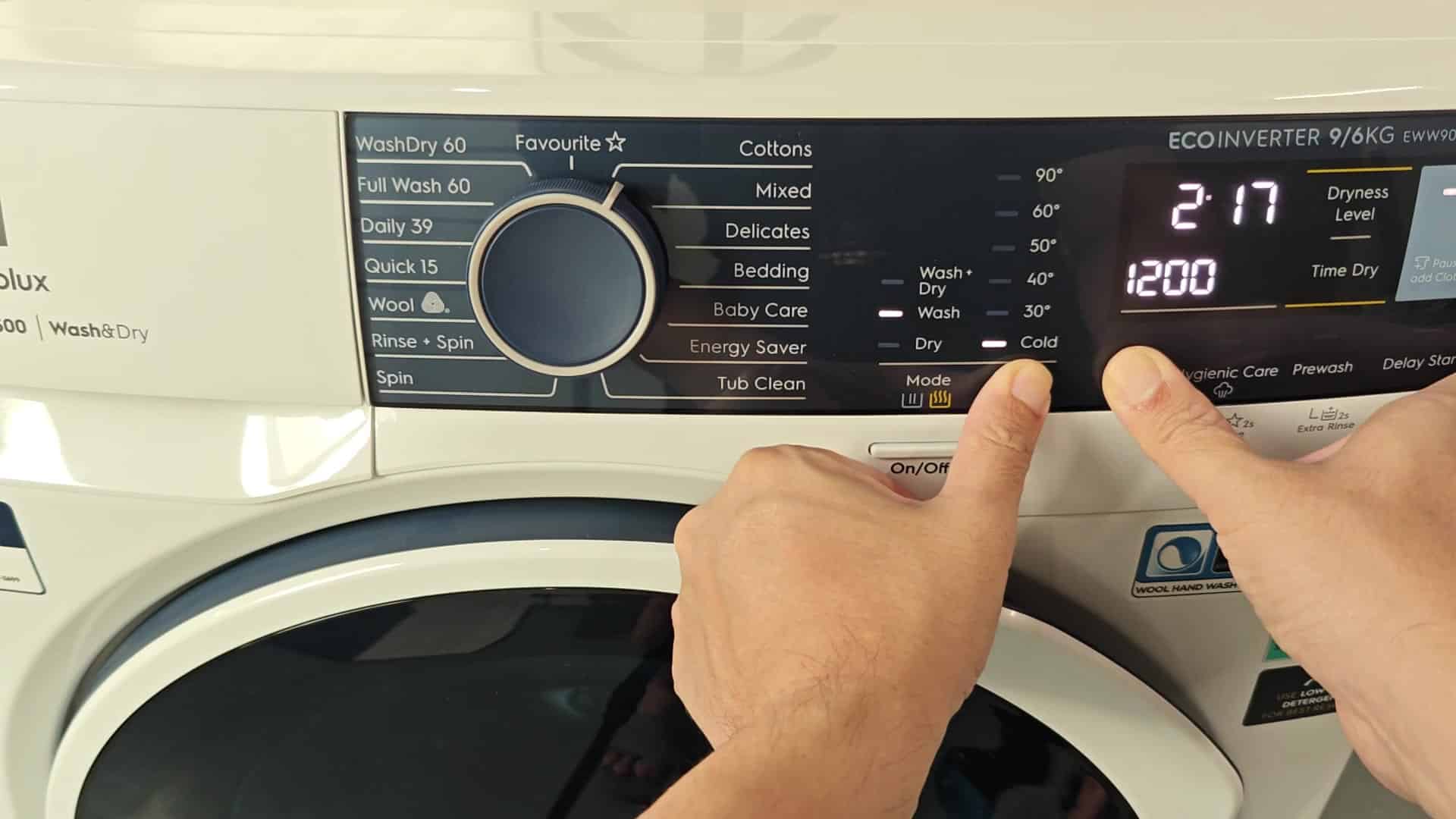
No need for a menu label either here; the code system do its job reliably. Once you’ve got everything set up, just toggle the setting back down to b0F and you’re good to go. You’ll notice it’s still nice and quiet in there now.

No need for a loud noise to alert everyone when laundry is ready. It’s quiet enough running on its own without another sound to clue us in. Such a small tweak makes such a huge difference in day-to-day comfortablity. From beginning to end, it takes less than a minute. There are no instructions required, just find the two previous buttons and go.

It is one of those little oddities with appliance design that you kind of learn the first time around and then never think about ever again. If the ruckus starts up again, you’ll immediately know what to do. This tweak is especially handy when you want to keep things quiet.