
With an LG ThinQ 2-in-1 combo, you won’t need to run a whole load just to get your items dried. By bypassing the wash step altogether it saves both your detergent and water.
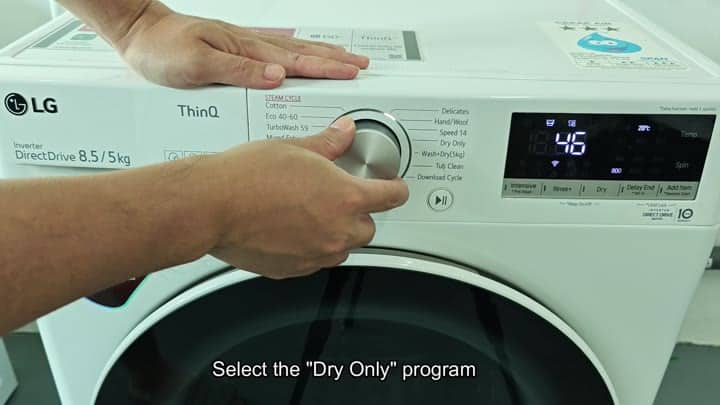
The dial have programs that are specific to “Dry Only”; and there’s a knob to turn for choosing that option. After selecting the program, you decide on how long you want your cycle to last. Time is displayed in increments of minutes (hours?), you get to specify exacty how many minutes the laundry spends tumbling around in drum.
Using The Dry Only Mode
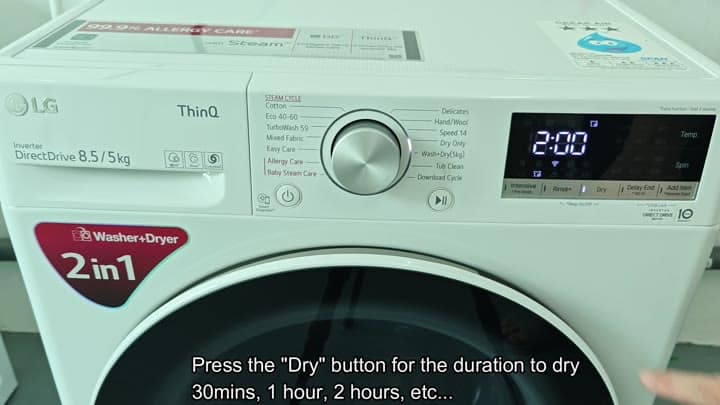
Case in point: A normal load are usually fine with a 2 hour run time. Simply set it for how long you want and push corresponding button. It is so intuitive that you don’t even have to read manual. Set the timer, hit start/pause and walk away.
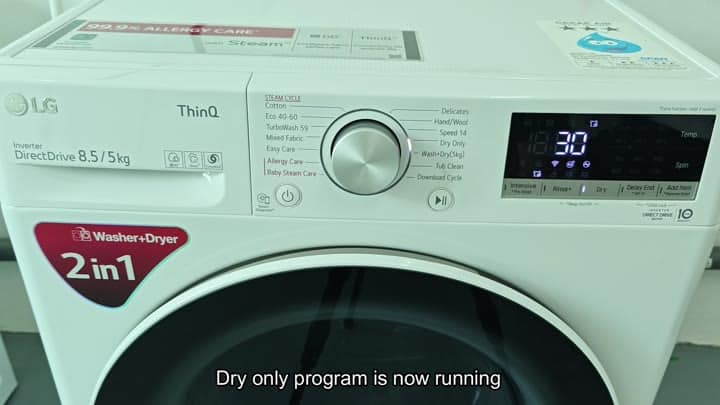
It fires right up. The digital readout change, indicating how much longer it will run. Without any fuss or additional work everything goes along nicely.
It’s nice that you don’t have to transfer your clothes into another drying machine either (which makes doing laundry so much easier!). It also doesn’t take long at all and it does it quietely too. Your clothes is warm and fresh when they’re done!
If you use this feature, doing laundry will be quick and easyer than before.
