
LG washing machines goes silent for no apparent reason.
The controls will still illuminate; the machine appears to function normaly. But it’s quiet. And that’s abnormal: Washers typically either beep or hum.
How to Unmute the Machine
Perhaps you think something has gone horribly wrong. It’s more likely accidental, such as when someone pressed an incorrect button, or a setting was deactivated at installation time. It’s easy to remedy (and no tech visit required).
The washer in this example is a 2-in-1 model with direct drive motor.
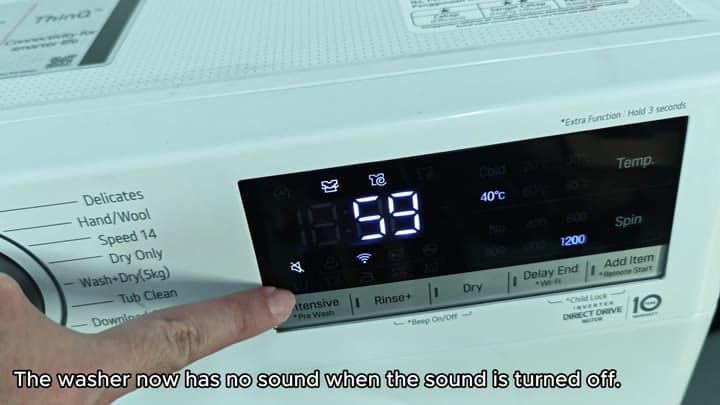
This is an example of a 2-in-1 washer (direct drive motor) that has a cycle dialed into it. The screen is on. There were temperature options and spin speed options, but there is no sound. This is what muted mode looks like. Nothing wrong with the machine at all, just running in a quiet mode.
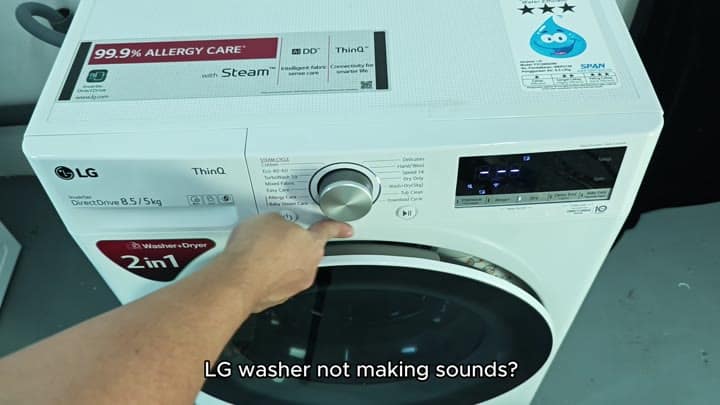
To get it unmuted follow this step: You’ll see the Mute icon plus the amount of time left on the display. Yep, silent. How do you get it to be not-silent? Here’s how: Press these two buttons.
The display showed the remaining time and the mute icon was visible. That confirmed the sound was off. You need to press the Rinse and Dry button together to fix it.
They’re all on one control panel: The Rinse button and the Dry button. Put your fingers on each of them. Press them at the same time, keep them pressed.
After a few seconds, you’ll notice something happen on the screen. The mute icon dissapears. Immediately, the machine is back to sounding normal. It’s almost like it never happened.
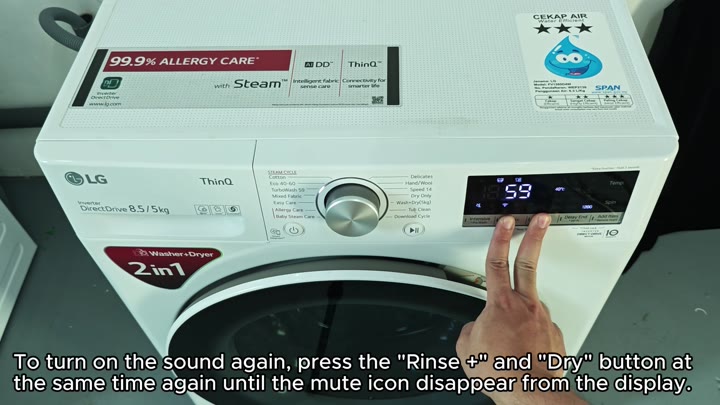
Steady hands are required; it’s difficult to hold down two buttons simultaneously. Don’t let go too soon. You must keep your fingers firmly pressed in place until the machine accept input.
This turns on/off the audio setting. This applies to most, if not all, LG machines. It is a normal function that will save you cash by eliminating support calls and parts purchases.
Pressing Rinse plus Dry brings back the audio status. Immediately you’ll see this reflected on the display. The number remains unchanged and the mute icon disappears. All is back to normal and cycle resumes. It takes just a few seconds. The washer goes back to being loud. This is reassuring since hearing it means it’s doing something.
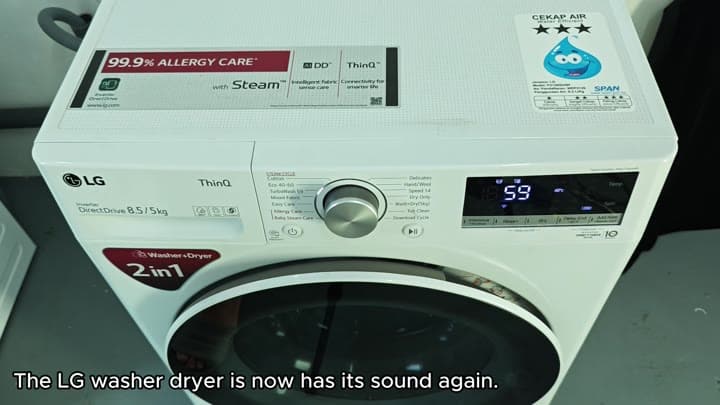
The problem was not very concerning. But still, when something goes wrong with your appliance, it could make you wonder if it’s beyond fixing. Not in this case. I’ve had this happen before and most folks freak out about it when they should of.
It’s nothing more than a setting. You simply have to know which buttons to hold at the same time to reset it. Once those are held down together, give it a moment and release them.
Everything should operate normaly after that. No need for tools or having someone come over to look at it. Simply use some finger pressure and you’re good to go. It is surprisingly simple and the quiet will last only so long.
