
This is the Masterclear digital timer switch on the workbench. It do not look special; it is just a UK-style plug socket. The LCD display indicates the current time, and the face features buttons that let you set the CLOCKS, WEEK, HOUR and MINUTE. You can also set TIMER, RANDOM and ON/AUTO/OFF. The standout button is labelled RST/CL.
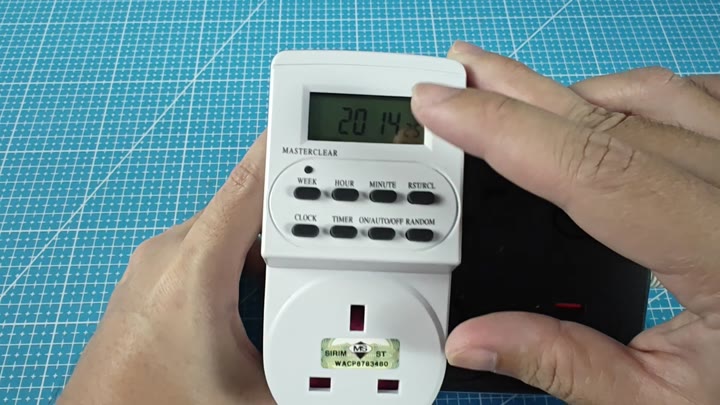
This button reset it.
If the old programming has been screwed up, you have to wipe the settings. A master reset will help wipe the schedule clean.
Performing the Master Reset
The button’s tiny. It is too small for a finger. It requires a slender tool from a drawer. It is a slim, precise tool. You line it up with the MASTERCLEAR button (which is recessed deep into the casing).
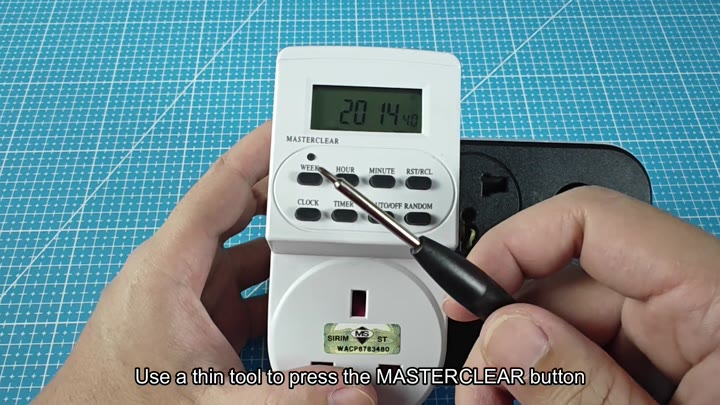
It is something skinny.
With that in mind, here’s what you do: You firmly but gently press on the tool. It slips right into position. And then you push it in quickly.
There aren’t any flashing lights, nothing very visual at all. Maybe you’ll notice a slight “click” sound. Inside the device, the programmed timer entries gets erased. All of your custom schedules dissapears. The clock even gets reset to zero. Total wipeout.
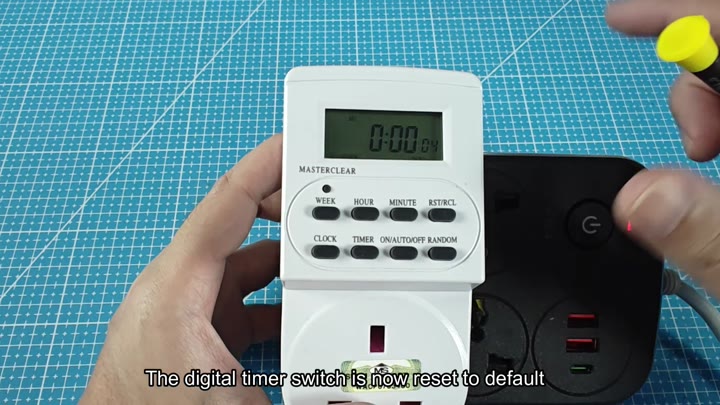
Back out, you pull the tool, and when you glance back at the screen, it read 0:00. The date indicator show 04.
It’s clean now; no clutter from old settings, and all the numbers is crisp and clear. You hold the device up to check the display, and the digits appear crisp and clear.
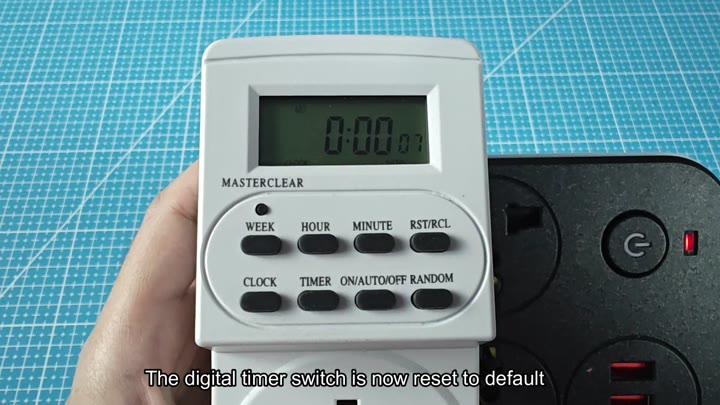
Perfectly, it’s a reset.
It’s quick (seconds) and no specific software required. No unplugging of the device for hours. Just a good press with a thin tool.
New set of instructions are ready. And away we go again, from scratch. Don’t think too much about it. It’s a pretty straightforward process.
If your timer is acting weird, give it a try. Any ghosts in the machine will be cleared out. It is a simple fix. Worked great.
