
To fix a Samsung remote that no longer responds, you’ll need to reset it and then pair it with your TV. It will re-pair itself with your TV.
Step-by-Step Reset Guide
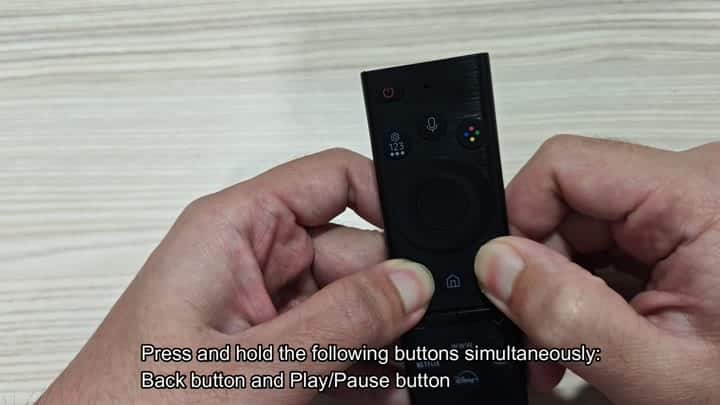
Press and Hold Play/Pause and Back together. The red light is blinking.
The blinking red is your confirmation of a reset. At this point, you don’t have to do anything further. Just let it go until the light blinks. At that point, it’s reset.
Now you will point the remote towards the TV. Make sure that the TV is in view from where you are holding the remote.
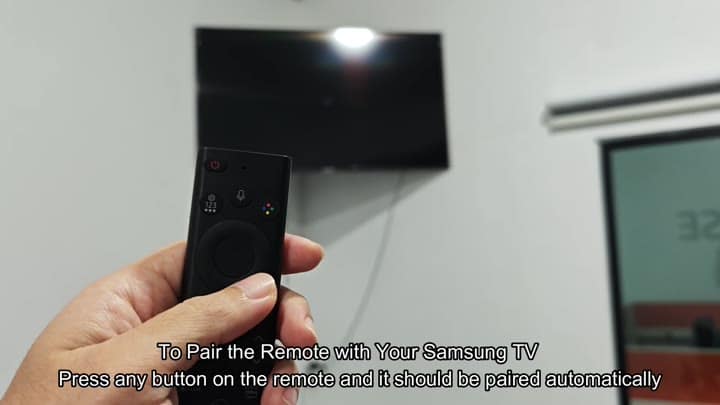
Press the Power button on the remote, and hold it there. The screen of your TV will change. Then it detect the signal. Now it starts to pair.
No need to type any code yourself. The system does that itself. That makes it simpler for you. A setup screen appears on the TV. With the words: “Let’s get started”. Also some language options is displayed. Usually the TV selects English as default.
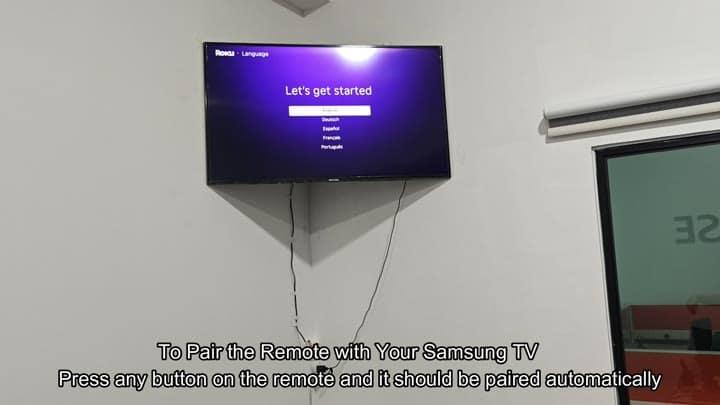
Success! The TV sees the remote. It’s responding, letting you use the home and direction pad buttons. The icons on-screen are displaying Netflix and Disney+ properley. Normal service resumes.
It’s easy. It takes literally just a few minutes. It’s not guesswork, as you hold down the right buttons. When it’s ready, you’ll see the red blink. Point it at your TV and press the power button. Next, it do its thing. There are no confusing menus. There is no fuss. It is just a simple fix.
The keys are known, and resets are simple. Not so obvious is Back and Play/Pause. These button get overlooked by many. When the remote doesn’t work, look there first. The answer is often something easily overlooked. Reset and it’s fully functional again. After a reset, it connects reliably.
In most cases, there’s no need to buy a new remote. Most issues are just disconnects. Disconnects get fixed with a reset.
Seeing the blinking red light is reassuring. It means something is happening. That reassurance is absent when the light isn’t on. Guessing is what you do without it. It lets you know that things are moving forward. Pairing happen at the TV end; your job is to pull the trigger.
The remote also stays charged thanks to the solar feature. No need to replace batteries. And this convenience stays the same throughout the reset process. It’s all there, nothing is lost.
Now you’re back to feeling comfortabley with the remote. It makes sense and it follows a clear sequence of steps. There is not much opportunity for making mistakes. Simply press the buttons hard and don’t release prematurely.
This is what you do when your remote doesn’t work. Hold down Play and Back. Wait for the red blink. Point to the TV. Press Power. Wait for the setup screen. It’s done. Repeat as necessary. If it loses connection, reset and pair again. It works again, no drama.
So, what does this cover? The fundamentals. It’s easy. Quick reset. Automatic pairing. No technical stuff. Just buttons. Press them long enough. Wait for the light. Then press Power. Simple solution. Remote as good as new. Save money & hassle. Smooth experience. Red indicator tells all. Ready when lit. Go ahead, pair away. TV will take over. You start the process. Efficient. Happy result. All true. Fix is little. Result is big. Worth doing. Now you know the trick.
Electronics are finicky things. Universal fix: Reset ’em. This one works for Samsung remotes. Works on most moddern models.
