
If your Samsung TV won’t connect to the internet or keeps dropping its signal, you may be able to solve this problem simply by resetting your TV’s network settings. The process take just a few seconds and does not require any tools, so there’s no need to purchase a new television. Just grab your remote control and follow these steps:
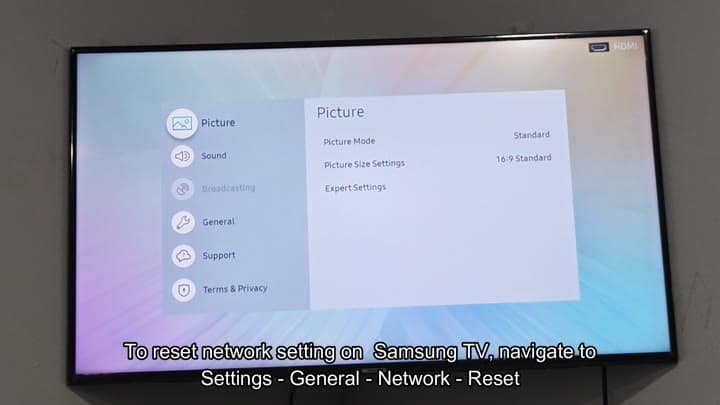
When in doubt, check your settings: If there’s a gear icon in a corner somewhere, that’s typically the Settings menu. From here, browse around until you locate the general settings section; most system tweaks will be here. You’ll notice the interface is clean and easily readable, allowing you quick access to the network submenu.
Resetting Network Settings Steps
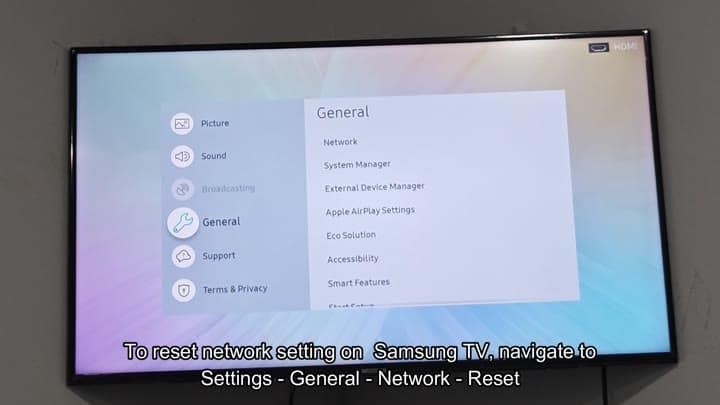
Scroll down until you reach the Network option under the General tab. Tap that and you’ll find your options. First is Network Status. Then is Open Network Settings. Note that this is not the option to reset everything to defaults.
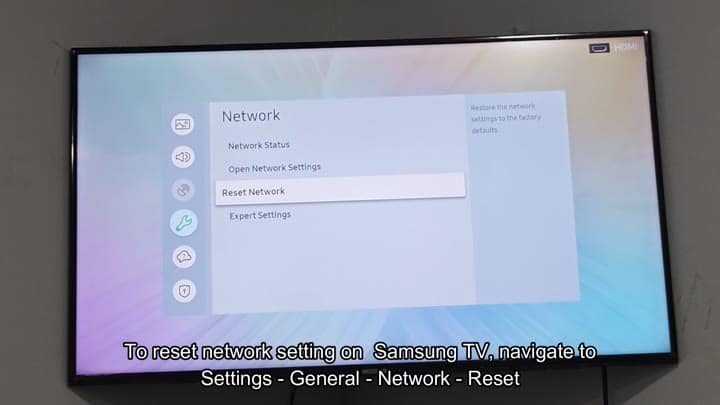
Keep scrolling: The option say “Reset Network” right on the list. It doesn’t get any more complex than that, and there are no hidden menus involved in the process.
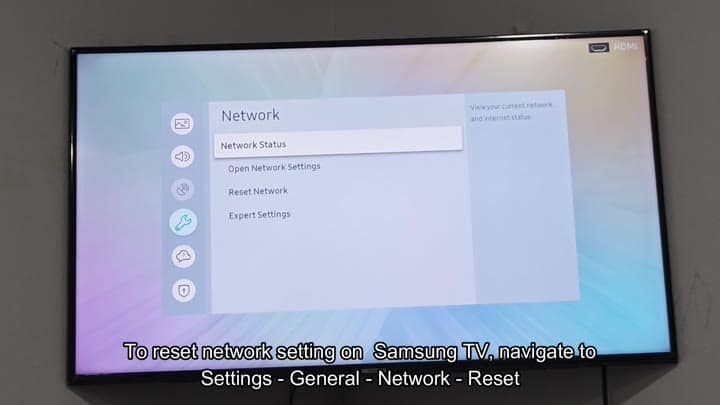
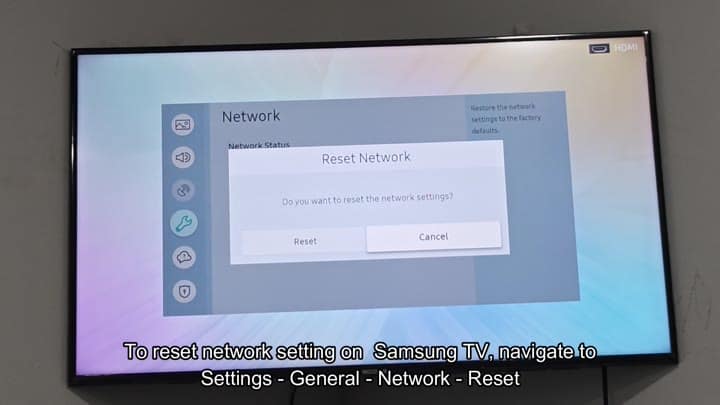
Navigate through Settings and General until you find the Reset Network option. It deletes all of those pesky static IP configurations as well as any saved Wi-Fi password. You’ll have to connect back up to your router after that.
If your past connection was spotty, starting fresh is probably a good idea, it provides the TV’s built-in network adapter with a clean slate.
You confirm this with a dialog box that asks if you really want to reset the settings. This is a safety feature and it prevents accidental clicks from wiping your data.
Click on Reset, and the TV takes your request right away. The screen flashes briefly as the network manager reloads behind the scenes. It reconnects everything from scratch, and it shuts down menu quickly and cleanly.
After a few seconds, it reverts back to whatever was on the TV before. Head back to the Network menu and select Connect to network. Type in your Wi-Fi password and you’re connected within seconds.
It doesn’t lose its connection or get stuck like this; instead, the TV stay connected all the time. Total resolution time would of been under five minutes. Your streaming apps are good as new.
